Airbnb automation: the complete guide
How to automate an Airbnb end to end — messaging, check-in, cleaning, calendars, payments, reviews and upsells — and which moments should stay human.

Ryan J
Co-Founder, PropertyStack · · 19 min read
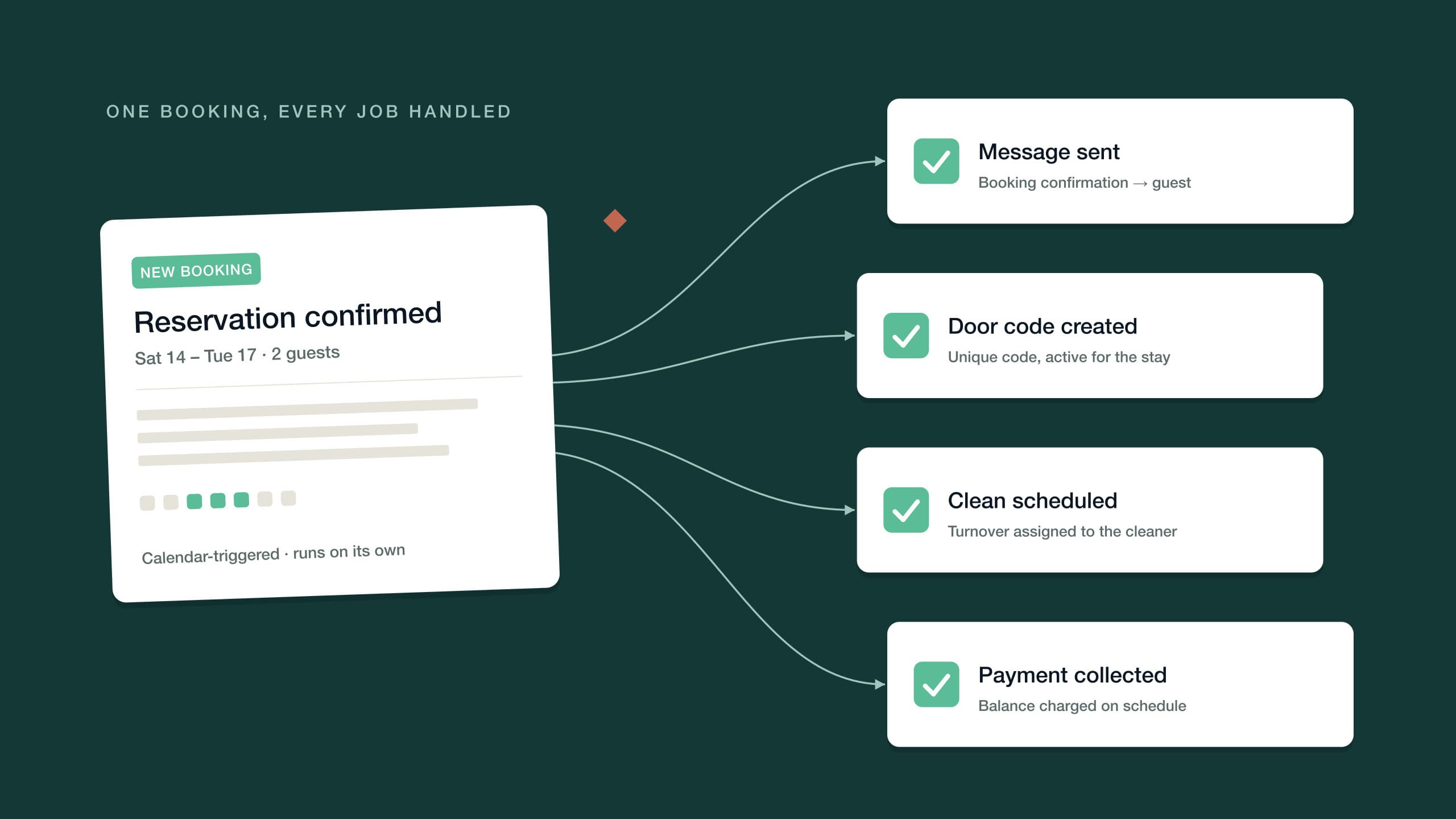
Contents
Every Airbnb host hits the same ceiling. One listing is manageable from your phone: a handful of messages a week, a cleaner you text after checkout, a calendar you can hold in your head. Then the bookings pick up, or a second listing arrives, and the hours start scaling in lockstep with the revenue. More stays mean more questions at midnight, more turnovers to coordinate, more balances to chase, more reviews to write — and none of it gets easier the tenth time you do it.
Here's the useful realization: most hosting work isn't hard, it's repetitive. The same twenty tasks repeat in a slightly different order for every stay. Repetitive work is exactly what software is good at, and automating it isn't cutting corners on hospitality — it's removing the copy-paste layer so your attention goes where a human actually matters.
This guide covers the whole territory: what Airbnb automation means, everything you can realistically automate today, the three levels of sophistication to grow through, the moments you should keep manual on purpose, and a 30-day sequence for rolling it all out without breaking anything mid-season.
What can you actually automate?
Almost every part of the guest lifecycle has a proven automation pattern behind it. Before going deep on each one, here's the map:
| Domain | What gets automated |
|---|---|
| Guest messaging | Confirmations, check-in details, mid-stay check-ins, checkout steps and answers to routine questions |
| Check-in and access | Self check-in instructions and door codes created for each booking |
| Cleaning and turnovers | Cleaning tasks triggered by checkouts, checklists and contractor coordination |
| Calendar and channel sync | Availability synced across Airbnb, Booking.com, Vrbo and your direct site |
| Pricing | Nightly rates adjusted by season, demand, lead time and length of stay |
| Reviews | Review requests timed to the right moment, responses to every review |
| Payments | Deposits, balance collection, failed-payment retries and security holds |
| Upsells | Early check-in, late checkout, gap nights and add-ons offered automatically |
| Accounting | Payout reconciliation and owner statements |
The order matters. Messaging is the highest-volume, lowest-risk place to start; agentic AI that runs whole jobs is the last layer, added once the basics are trustworthy. Each section below takes one domain and covers what to set up, in the order that works.
How do automated Airbnb messages work?
Messaging is where automation pays off first, because it's where the repetition is most extreme. Ask any experienced host what they send in a season and it collapses into the same handful of messages: a booking confirmation, check-in details, a mid-stay check-in, checkout instructions, a thank-you. Guests ask the same questions too — where do I park, what's the Wi-Fi password, can we check out late. You're not writing; you're retyping.
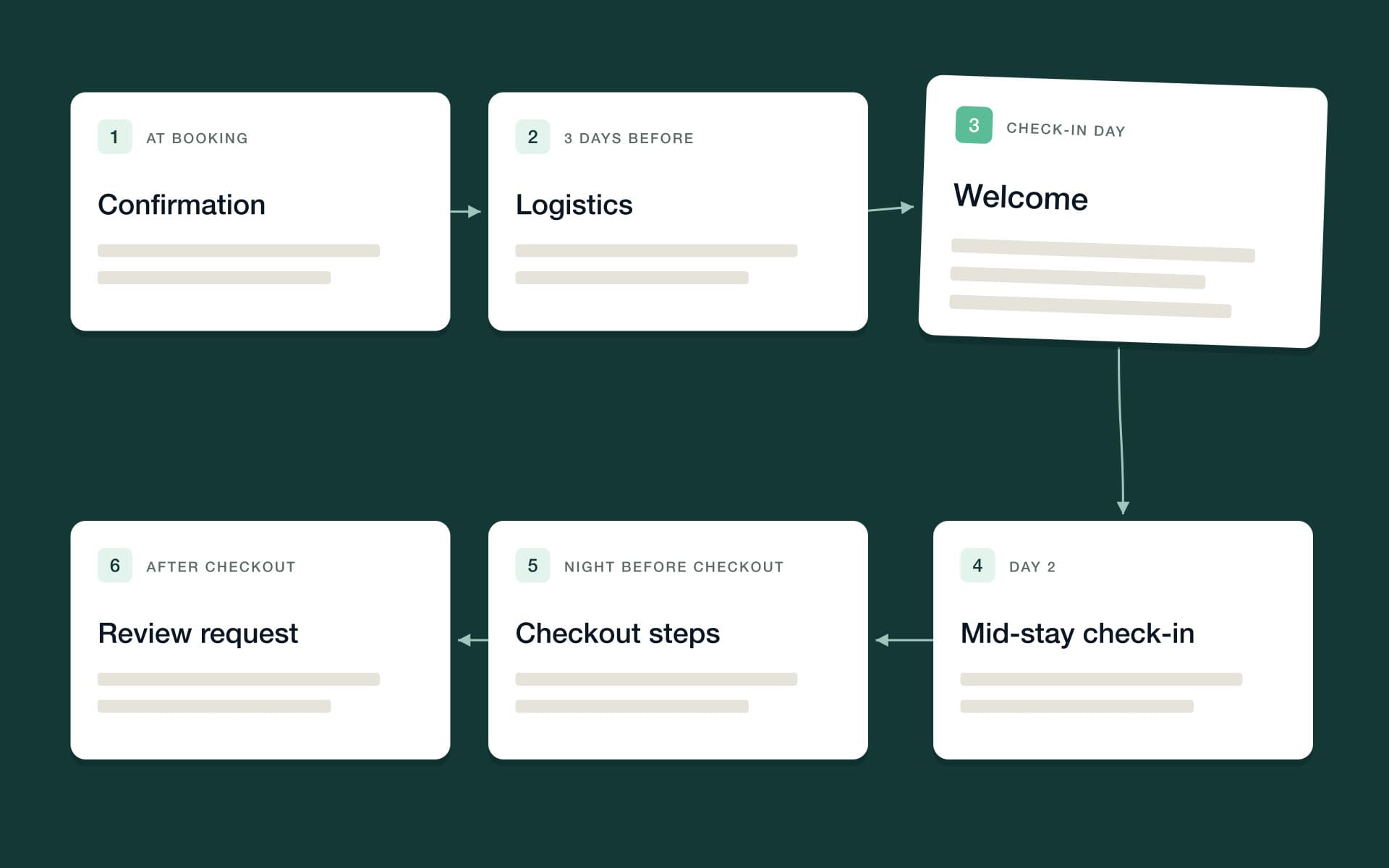
Automated Airbnb messages replace the retyping with a timeline. Every booking triggers the same sequence, personalized with the guest's name, dates and property details:
- At booking — a warm confirmation that sets expectations: what's confirmed, what happens next, and when the guest will hear from you again.
- A few days before arrival — the logistics message: address, directions, parking, check-in time and how entry works.
- On check-in day — a short welcome with the door code and the two or three things guests actually need in the first hour: Wi-Fi, heating or cooling, house basics.
- Mid-stay — one light check-in after the first night: is everything as expected? It surfaces small problems while you can still fix them.
- The night before checkout — checkout time and the short list of what to do before leaving.
- After checkout — a thank-you and, at the right moment, a review request.
If you want ready-made wording for each of those, we've written a full set of Airbnb message templates you can adapt. The structure matters more than the exact words: every message should answer the question the guest was about to ask.
There are three maturity levels here, and they're worth naming because most hosts stop at the first. Manual messages with saved templates cut the typing, but you're still the trigger — nothing sends unless you remember. Scheduled automations tie each message to an event or a time: booking confirmed, three days out, the night before checkout. AI workflows go further: the AI reads and answers routine inbound questions — check-in, Wi-Fi, parking, late checkout — and detects the guest's language, replying in it, across every channel.
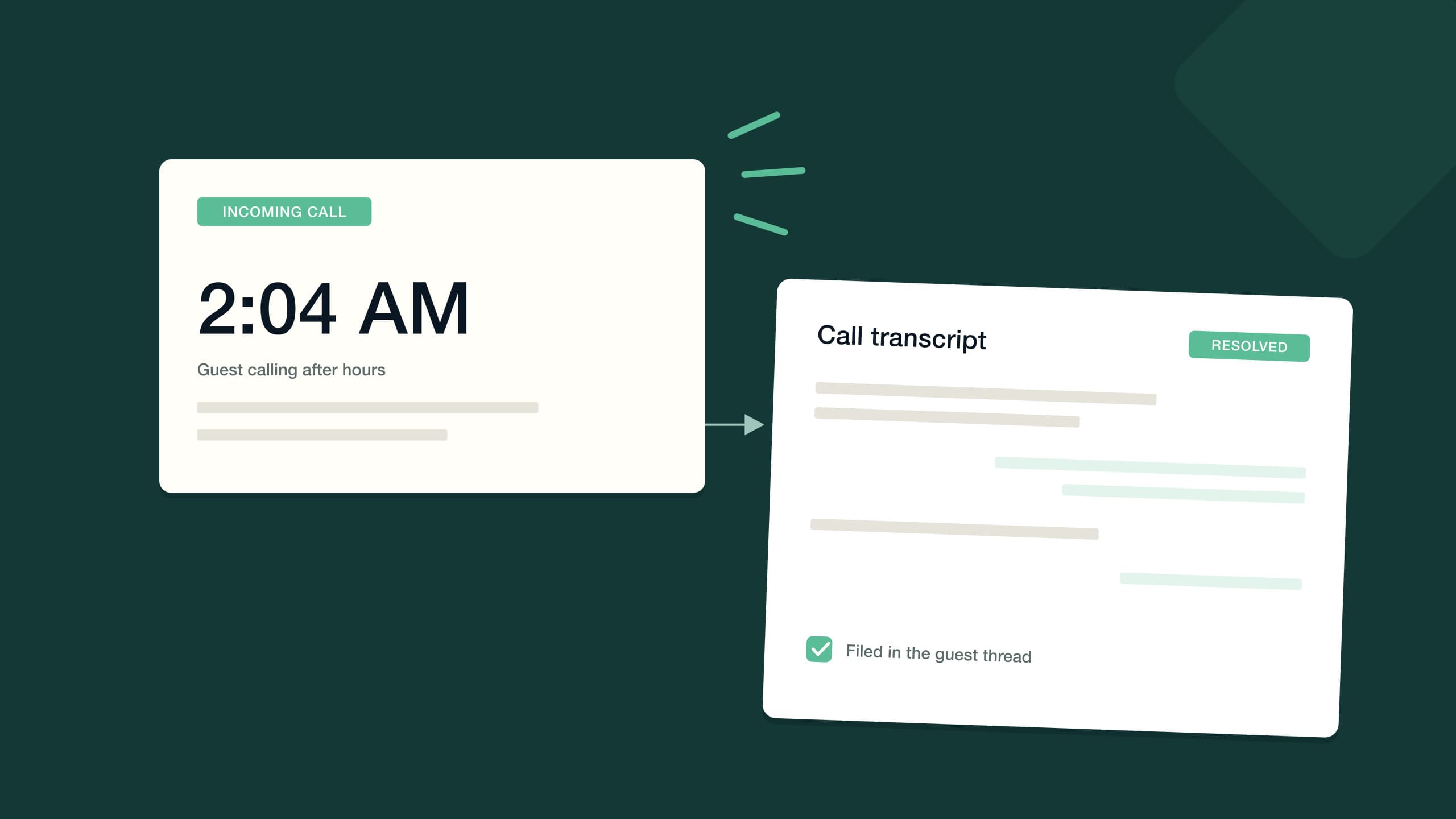
That last level is what an AI guest messaging agent does: it handles the conversation end to end, 24/7, and escalates to you only when a thread genuinely needs a human. The same idea now extends to the phone — an always-on AI phone line can answer calls around the clock, handle common guest questions and offer upsells like early check-in. We've covered that channel in detail in our guide to AI phone answering for vacation rentals.
One more thing makes the timeline work at scale: keeping every channel in one place. Guests reply wherever it's convenient — the booking platform's thread, SMS, WhatsApp, email — and an automation that only watches one channel misses half the conversation. Look for guest messaging that runs across SMS, WhatsApp, email and an AI phone line from one inbox, so the automated timeline and the human replies live in the same thread, with a communications analytics view showing what's actually being asked and answered.
Set this up first: write the five or six core messages, schedule them against booking events, and spend a week watching what guests still ask. Whatever survives the timeline becomes either a better message or a job for the AI.
How do you automate Airbnb check-in and access?
Check-in is the highest-stakes moment of the stay and the easiest one to automate badly. A guest standing outside a door that won't open, at night, possibly in a language you don't speak — that's how one-star reviews are born. The goal of access automation is to make arrival so clear that nobody needs to call you.
Self check-in is the foundation. The guest arrives on their own schedule and lets themselves in with a code — no key handoffs, no waiting around, no timing your afternoon around a delayed flight. The manual version is a lockbox with a code you rotate between stays. It works, right up until the day you forget to rotate it.
Smart locks close that gap. Connected to your booking system, a smart lock integration generates guest door codes automatically — a fresh code for each booking, created without you touching anything. Drop that code into the scheduled check-in-day message and the guest gets working entry instructions exactly when they need them, while you stop copying codes between apps forever.
Per-booking codes have a quieter advantage too: the access follows the reservation. There's no permanent code circulating among years of past guests, and no scramble when a stay is extended, because the code belongs to the booking rather than to the door. Cleaners and contractors get their own access arrangements instead of borrowing the guest code, which keeps the question of who was in the property answerable.
Set it up in this order:
- Write self check-in instructions with photos of the entrance, the lock and anything guests get wrong — then test them on someone who has never visited.
- Install a smart lock and connect it to your platform so each stay gets its own door code automatically.
- Put the code and the instructions into the scheduled check-in-day message, so access and information arrive together.
- Keep a fallback: a lockbox with a backup key and a clear escalation path for the rare arrival that goes wrong.
How do you automate cleaning and turnovers?
Turnovers are where automation moves from messages into the physical world. Every checkout has to produce a clean, restocked, guest-ready property before the next arrival — sometimes within hours. The manual version is you, texting cleaners and hoping they saw it.
The automated version is booking-triggered tasks. A checkout on the calendar creates a cleaning task automatically, dated for the turnover window and assigned to the default cleaner for that property. When bookings change — an extension, a cancellation, altered dates — the task moves with them. Nobody has to notice, because the calendar is the trigger.
Checklists carry the quality. Instead of "clean the apartment," the task carries a room-by-room checklist with photo confirmation, so the cleaner marks off each item and you can see the result without driving over. Contractor coordination gets the same treatment: cleaners accept or decline jobs in their own portal, you're notified the moment someone declines, and the job can be reassigned before it becomes tomorrow morning's crisis.
Set this up first: standardize a checklist per property, set a default cleaner, and turn on task auto-creation from checkouts. Then build the failure path — a decline alert and a backup contractor — because the automation you can trust is the one that handles the day someone's car breaks down.
How do you keep calendars in sync across channels?
The moment you list on more than one channel, calendar sync stops being optional. A booking on Booking.com has to block those dates on Airbnb and Vrbo immediately — the alternative is the double booking, the single most damaging failure in short-term rentals. Someone ends up without the accommodation they paid for, and you end up writing the worst apology of your year.
Basic calendar feeds sync on a delay, which is precisely the problem: a popular weekend can be booked twice in the gap between refreshes. Real channel management syncs availability, rates and booking rules across Airbnb, Booking.com, Vrbo and your direct-booking site as bookings happen, so a confirmed stay anywhere closes those dates everywhere.
Once the channels are synced, put everything on one screen. A multi-calendar for vacation rentals shows every property and every stay on a single timeline, which turns calendar management from checking four websites into scanning one view. Gap nights, back-to-back turnovers and stale blocks become visible at a glance — and that visibility is what makes the later automations, like gap-night offers and turnover scheduling, trustworthy.
Can you automate Airbnb pricing?
Yes — dynamic pricing is one of the most established categories of vacation rental automation. Instead of one flat nightly rate, prices adjust continuously based on demand signals: season, day of week, local events, how far out the date is, and how much comparable inventory is still available. The practice came from airlines and hotels, and short-term rentals adopted it because a fixed rate is wrong in both directions — too cheap for the festival weekend, too expensive for a rainy Tuesday in the off season.
Rules are the simple version: weekend markups, seasonal rates, early-bird and last-minute adjustments, length-of-stay discounts. Dedicated dynamic pricing tools go further, watching market data and moving rates daily. Whichever route you take, two disciplines keep it safe. Set a floor price you'd genuinely accept, because automated discounting without a floor is how a premium listing ends up renting for a pittance. And review what the automation did every week for the first month, until you trust its judgment on your specific market.
Two rate levers deserve special mention because they interact with the rest of your automation. Orphan gaps — the one- or two-night holes between bookings that rigid minimum-stay rules refuse to sell — can be opened up automatically as the dates approach, with the minimum relaxed and the rate adjusted. And last-minute logic should be a rule you designed, not a slide you tolerate: discounting tonight's empty calendar is rational; letting automation quietly erode your peak season is not. Floors and weekly reviews, again.
How do you automate reviews?
Reviews compound. Ranking, conversion and guest trust all trace back to review volume and rating, which makes the review cycle too important to run on memory. There are two halves to automate: getting more reviews, and responding to the ones you get.
Review requests work best when they're timed, not batched. A polite ask shortly after checkout — while the stay is fresh and the review window is open — beats a generic blast days later. Automation makes the timing effortless: every checkout triggers the request at the right moment, every time, including the stays that end while you're asleep.
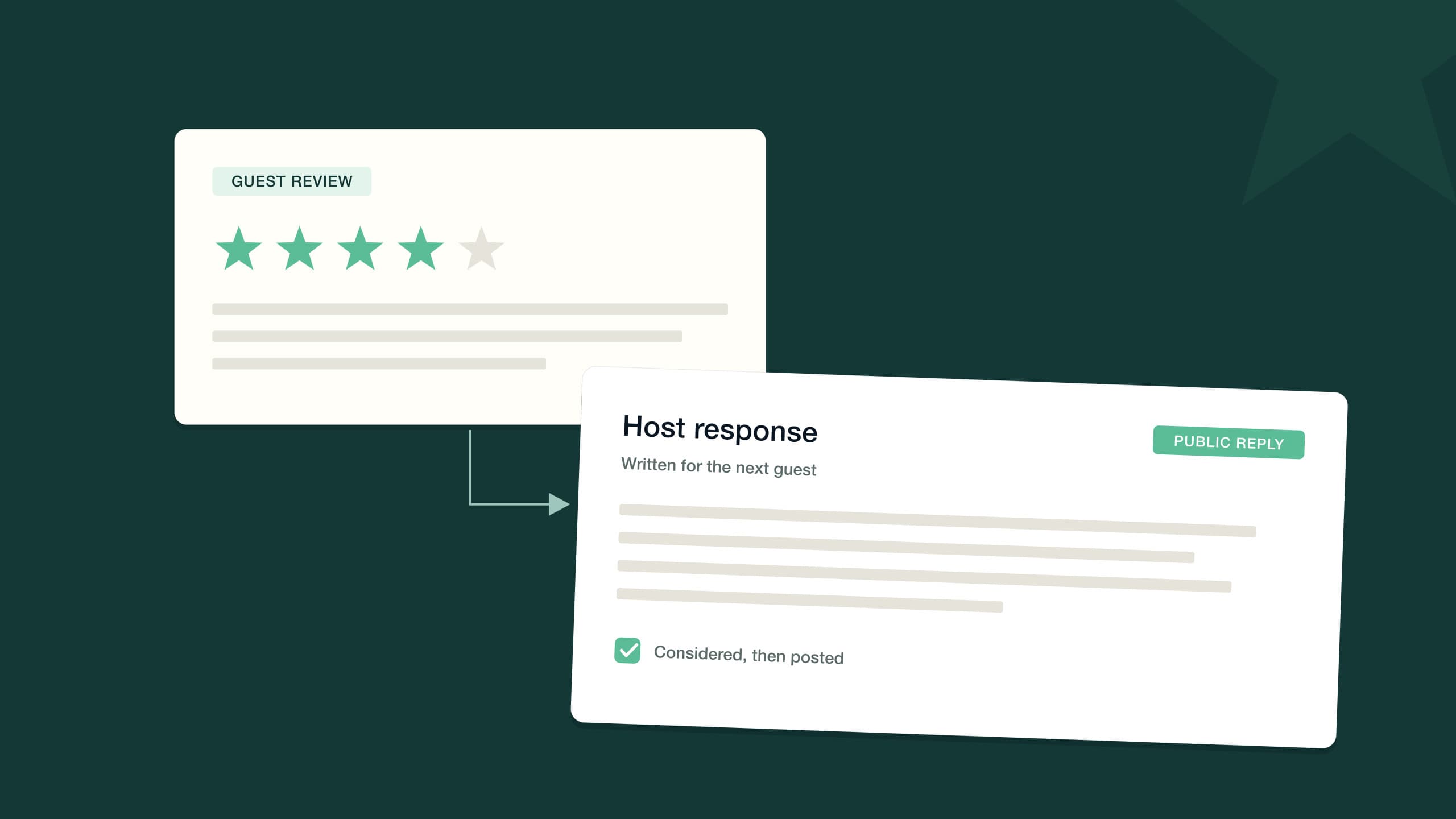
Responses are the second half. Replying to every review, including the glowing ones, signals an attentive host to the next guest reading your listing. Negative reviews deserve particular care: a calm, specific, non-defensive reply often does more for future bookings than the review did damage — we've written a full guide on how to respond to Airbnb reviews, including the hard ones. The most useful automation here goes one step further: it turns the complaint inside a bad review into an action item, so the broken blind that cost you a star actually gets fixed before it costs you another.
How do you automate guest payments?
On Airbnb itself, payment is handled for you. But the moment you take direct bookings or list on channels where you process the payment, collection becomes your problem — and chasing money is the least pleasant, most postponable job in hosting. It's also one of the most mechanical, which makes it ideal automation territory.
Automated payments run the whole collection sequence on schedule:
- Deposits collected at booking, so a reservation is never just a promise.
- Balance collection ahead of arrival, charged automatically on the schedule you set.
- Failed-payment handling — expired and declined cards are retried and followed up without you playing collections agent.
- Security holds — a pre-authorization placed before check-in and released after checkout, protecting the property without holding the guest's cash longer than needed.
The payoff isn't just effort. Automated collection is consistent — every guest, same schedule, same policy — which removes both the awkward payment conversations and the revenue that quietly leaks when a balance is never chased.
How do you automate upsells?
Most hosts leave money on the table not because guests won't pay for more, but because offering takes effort at exactly the wrong moments. Early check-in requests arrive while you're coordinating a turnover. A gap night could be sold, if only someone noticed it in time. Upsell automation notices for you.
The classic offers map onto the booking timeline:
- Early check-in — offered pre-arrival, once the turnover schedule confirms the property will be ready.
- Late checkout — offered toward the end of the stay, when the next arrival allows it.
- Gap nights — one or two open nights adjacent to a booking, offered to the guest who's already staying; an extension needs no extra cleaning.
- Add-ons — equipment hire, mid-stay cleans, local experiences, whatever your market supports.
The economics explain why upsells automate so well. The guest is already committed, the marginal cost of an early check-in or a gap-night extension is usually close to zero, and an offer only annoys when it's irrelevant or badly timed — the two things automation is best at preventing. A declined offer costs nothing; an accepted one is revenue the stay would never have produced on its own.
Delivery matters as much as timing: offers land through the messages guests already read, in the guidebook they open for the Wi-Fi password, on the direct-booking site, even on the phone line. Purpose-built Airbnb upsell software runs the whole loop — spotting the opportunity, making the offer, taking payment — so revenue per stay stops depending on you being attentive at 4 p.m. on a Friday.
What about accounting?
Behind every automated payment sits a bookkeeping question: whose money is this, and did it land where the records say it did? Payout reconciliation — matching channel deposits to the bookings they cover — and owner statements are both automatable, and if you manage properties on other people's behalf they belong inside a proper trust accounting setup rather than a spreadsheet. That's a discipline of its own, and we've covered it in depth in our guide to what trust accounting is and how it works.
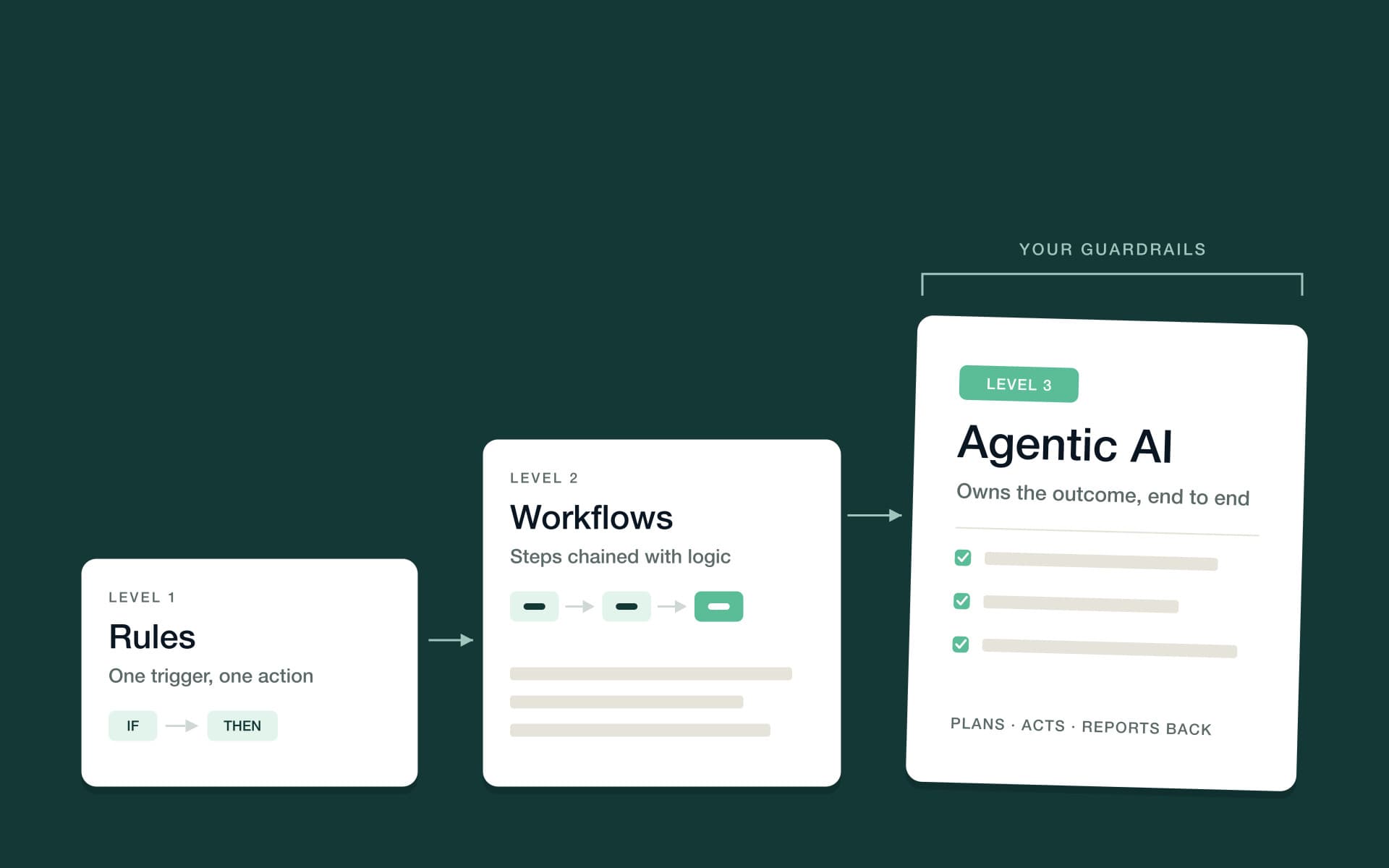
The three levels of Airbnb automation
Everything above can be run at three levels of sophistication. Knowing which level you're at — and what the next one looks like — is the difference between collecting disconnected tools and building an operation that runs itself.
Level 1: rules
A rule is one trigger and one action. Booking confirmed: send the confirmation. Checkout: create a cleaning task. Three days before arrival: send check-in details. Rules are where everyone starts, and they already remove the biggest failure mode of manual hosting — forgetting. Their limit is that real stays have branches, and rules don't.
Level 2: workflows
Workflows chain logic: triggers, branches, delays and actions composed into sequences that handle the variations rules can't. If the booking is for tonight, send check-in details immediately instead of on the three-day schedule. If the guest hasn't replied, wait a day, then follow up, then flag it. Building vacation rental automation workflows is where automation stops being a set of reminders and becomes an operating procedure that executes itself.
Level 3: agentic AI
Agentic AI is the newest level and the real shift. Instead of you scripting every path, an AI agent owns an outcome — answer this guest, fill this gap night, get this review responded to — and works it end to end: reading the context, taking the steps, handling the follow-ups. The critical feature isn't the intelligence; it's the control. You set guardrails and approval thresholds per agent — you decide what runs automatically and what waits for your sign-off — and the AI escalates to a human when something genuinely needs one. Done well, agentic automation feels less like a tool and more like a team member who works the night shift.
You don't graduate out of the lower levels — a mature operation runs all three at once. Rules handle the perfectly predictable, workflows handle the structured variations, and agents handle the open-ended work that used to require you. The practical question isn't which level to pick; it's whether each piece of your operation is sitting at the level it deserves.
What should you not automate?
A guide this enthusiastic about automation owes you the other list. Some things should stay manual — not because software can't do them, but because doing them personally is the point, or because the cost of getting them wrong is too high.
- Genuine hospitality moments. The anniversary bottle, the handwritten note for a returning guest, the local tip that matches something they mentioned — these land precisely because they aren't automatic. Automate the logistics to buy time for these; don't automate them away.
- Emergencies. A gas smell, a flood, a guest safety issue: automation's job here is detection and escalation — waking a human immediately — not resolution. No message template should stand between an emergency and a person.
- The final sign-offs you choose to keep. Large refunds, responses to serious complaints, owner payouts above a threshold. Good automation drafts and prepares; you approve. This is exactly what approval thresholds exist for — keeping your judgment in the loop where it matters, and out of the loop where it doesn't.
The pattern in all three: automation should absorb the repetition and surface the exceptions. If a moment is exceptional, it belongs to you.
How do you roll out Airbnb automation in 30 days?
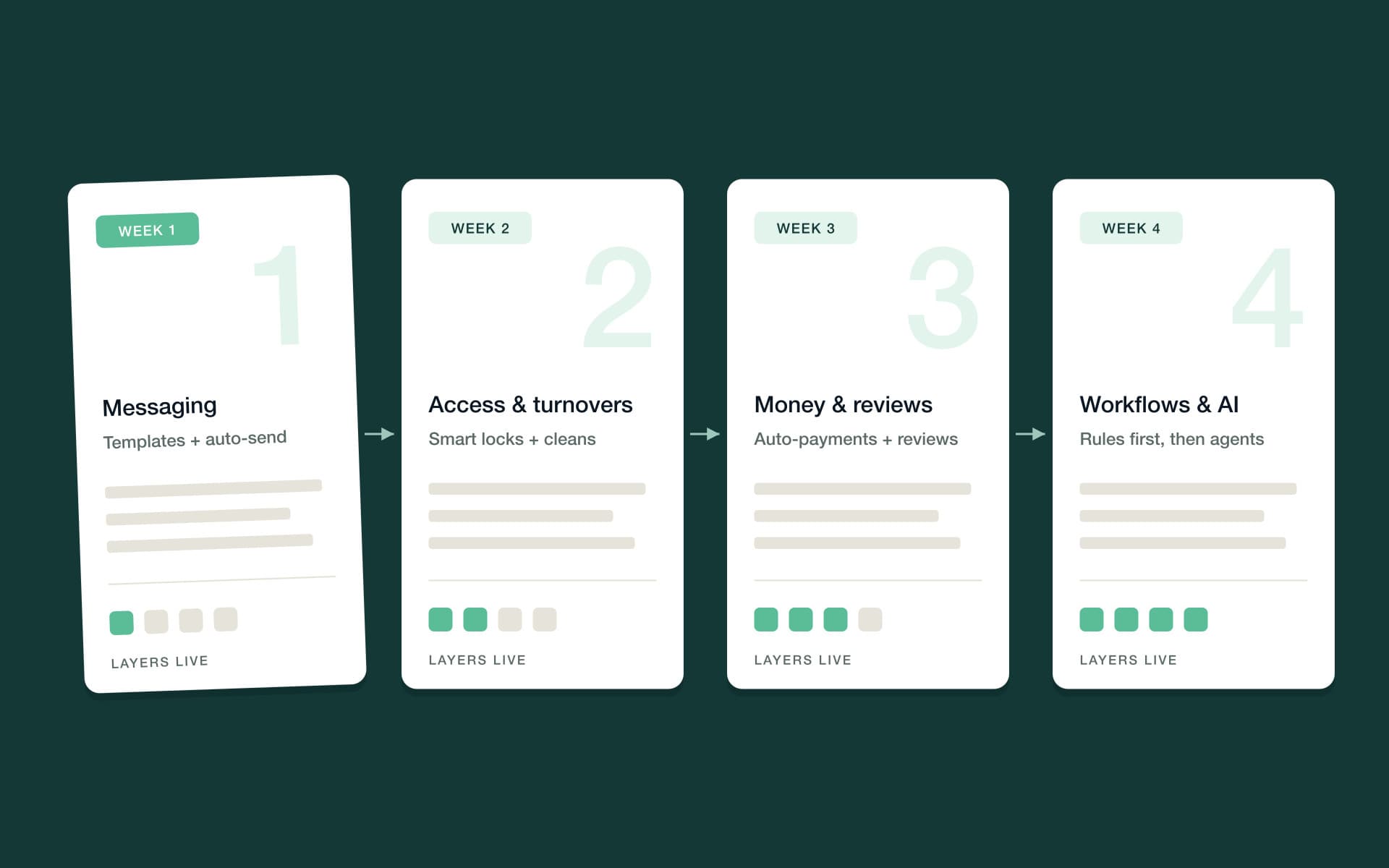
Don't automate everything at once — you'll spend a chaotic week configuring and no time verifying. Roll it out in layers, each one live and trusted before the next goes on.
- Week 1: messaging. Write your core messages, schedule them against booking events, and let the timeline run on real guests. Watch the inbox for questions your messages should have answered, and fix the wording as you go.
- Week 2: access and turnovers. Perfect the self check-in instructions, connect the smart lock so codes generate per booking, and switch on automatic cleaning tasks with a checklist per property. Verify one full turnover end to end.
- Week 3: money and reviews. Turn on balance collection and security holds for the bookings where you take payment, and automate the post-checkout review request. This is also the week to confirm your calendars are syncing across every channel.
- Week 4: workflows and AI. Chain what you've built into workflows with branches and delays, then introduce AI — starting with routine guest questions — under conservative guardrails and approval thresholds. Loosen them as the AI earns trust, not before.
Two habits make the rollout stick. First, verify each layer on a real booking before trusting it — send yourself through the message timeline, book a test stay, watch the cleaning task appear on schedule. Second, keep a running list of every task you still did manually that week; it becomes next week's automation backlog, and eventually the list gets short enough to ignore.
By day 30, the operation should feel different in one specific way: your morning starts with reviewing what happened overnight instead of doing what didn't.
How PropertyStack automates all of this natively
Everything in this guide can be assembled from separate tools — a messaging tool, a lock tool, a task tool, a pricing tool — stitched together and maintained by you. PropertyStack, an agentic property management platform for short-term rentals, takes the other path: genuinely all-in-one, built natively rather than stitched together from integrations, so your data, automations and AI work from one source of truth.
The difference shows up most at the agentic level. PropertyStack's AI agents do the work end-to-end — answering guests, scheduling maintenance, reconciling accounts — not just storing your data. Six agents cover the territory this guide has mapped:
| Agent | What it runs |
|---|---|
| Communication | Guest messaging end to end, 24/7, in the guest's language, across every channel |
| Maintenance | Issues triaged, contractors assigned and booked, jobs closed once verified done |
| Accounting | Bank lines reconciled, contractor bills pulled into payables, owner statements sent |
| Reviews | Requests timed right, every review answered, negative feedback turned into action items |
| Sales & Upsells | Early check-in, late checkout, gap nights and add-ons sold automatically |
| AI Co-Host | The whole team coordinated as one, with handoffs between agents |
The AI Co-Host is what most hosts are actually reaching for when they search for automation: not six more tools to configure, but a coordinated team where agents hand off to each other and you stay in charge of the rules. You set guardrails, approval thresholds and what it may never do — and hosting starts to feel like reviewing good work instead of producing it.
Frequently asked questions
The short version, for the questions operators ask most.
Airbnb automation means using software to run the repeatable parts of hosting automatically — guest messages, door codes, cleaning tasks, calendar sync, payments, review requests and upsells. It ranges from simple scheduled messages to AI agents that handle entire jobs under rules and approval thresholds you set.
Most of the operation, yes: messaging, access, turnovers, payments, reviews and upsells can all run automatically. The best setups still keep humans in the loop deliberately — for emergencies, personal touches and final approvals — using thresholds that decide what runs on its own and what waits for sign-off.
Guest messaging. It's the highest-volume task, the lowest-risk to automate, and the fastest to verify — you'll see the effect within a week of scheduling your core message timeline. Booking-triggered cleaning tasks and automatic door codes are the natural second and third steps.
Not when they're well written and timed to the guest's actual needs — a clear check-in message on the morning of arrival reads as attentive, not robotic. Guests judge whether information showed up when they needed it, not whether a human pressed send. Warm wording and good timing matter more than manual delivery.
PropertyStack pricing scales with what you use: a platform base per property, plus the AI agents you switch on, plus a share of the new revenue the AI generates for you. Plans start at $50/month.
Choose platforms that treat security as table stakes. PropertyStack keeps your data encrypted, and you control what runs automatically versus what waits for your approval — so automating the work doesn't mean giving up oversight of money or guest data.
Still have questions?
Ask PropertyStack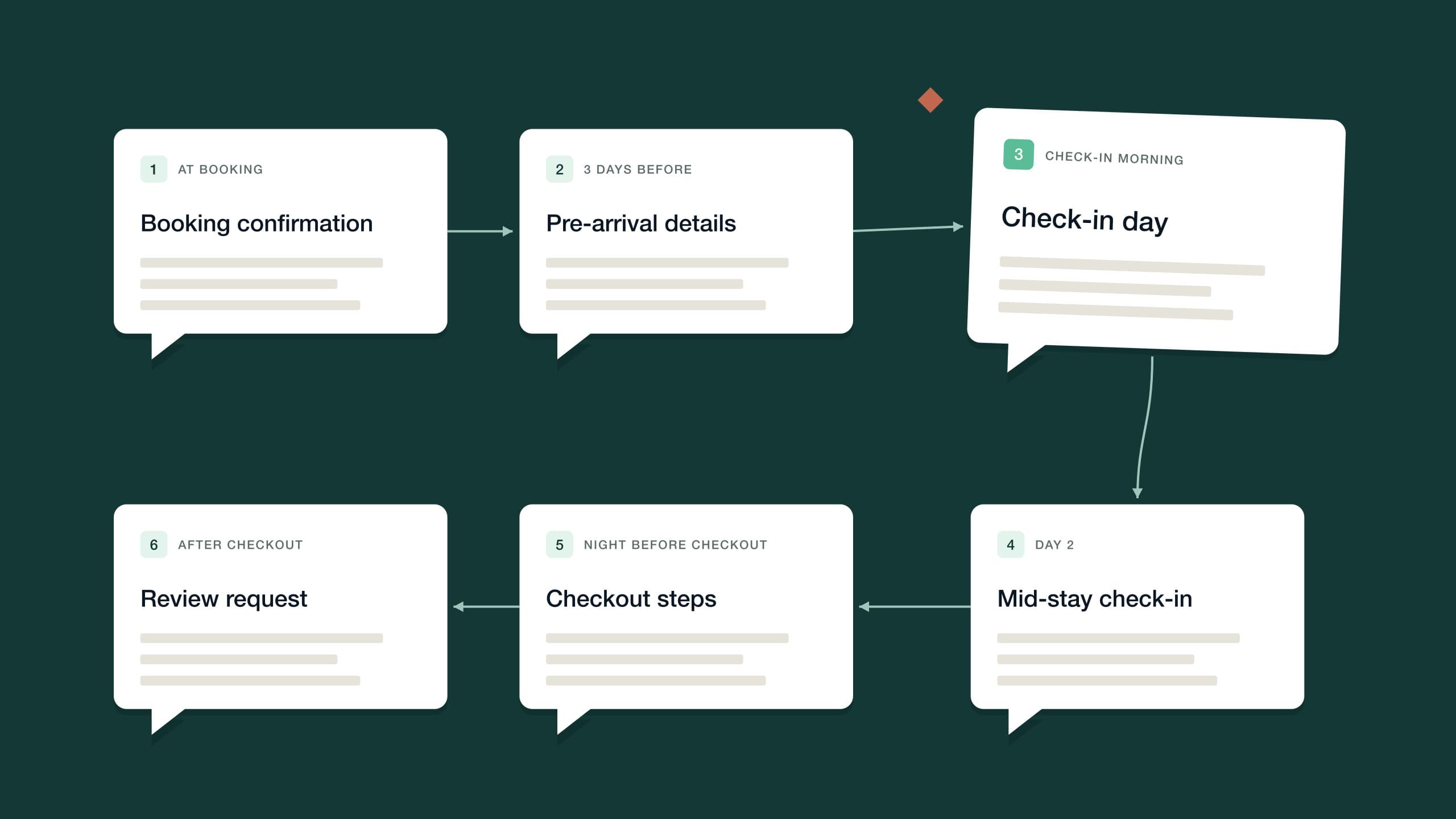

See it on your own listing. Free, from one link.
Paste an Airbnb listing and we'll show you what it could look like — a rewritten title, description, photos and a task list from your reviews.
- Syncs with every channel
- Cancel anytime
- AI agents with Pro