Features · Run the day-to-day
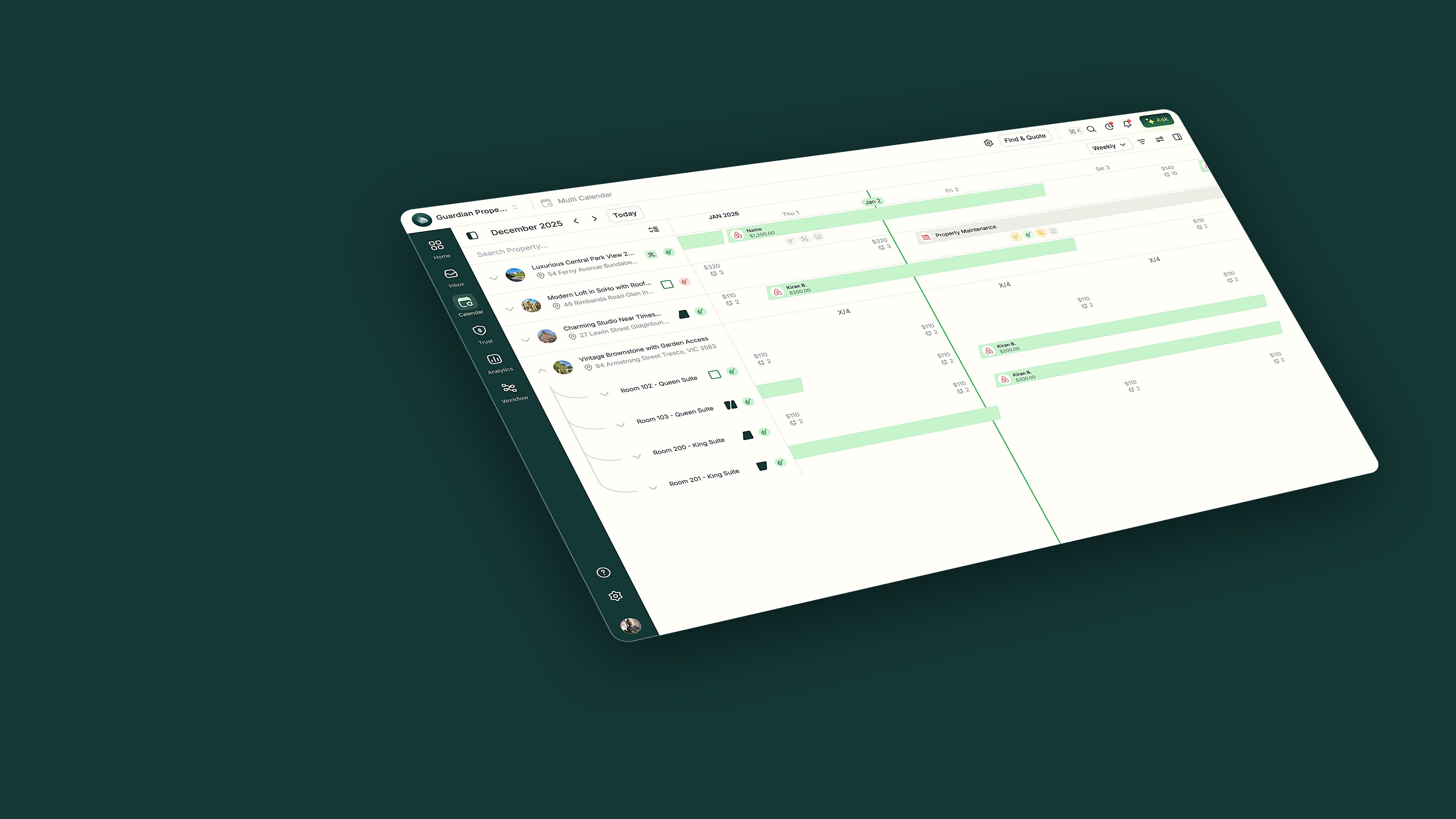
Your whole portfolio at a glance
The Multi-Calendar puts every property and every booking on one timeline. It's built in, not bolted on, so rates and maintenance stay in sync.
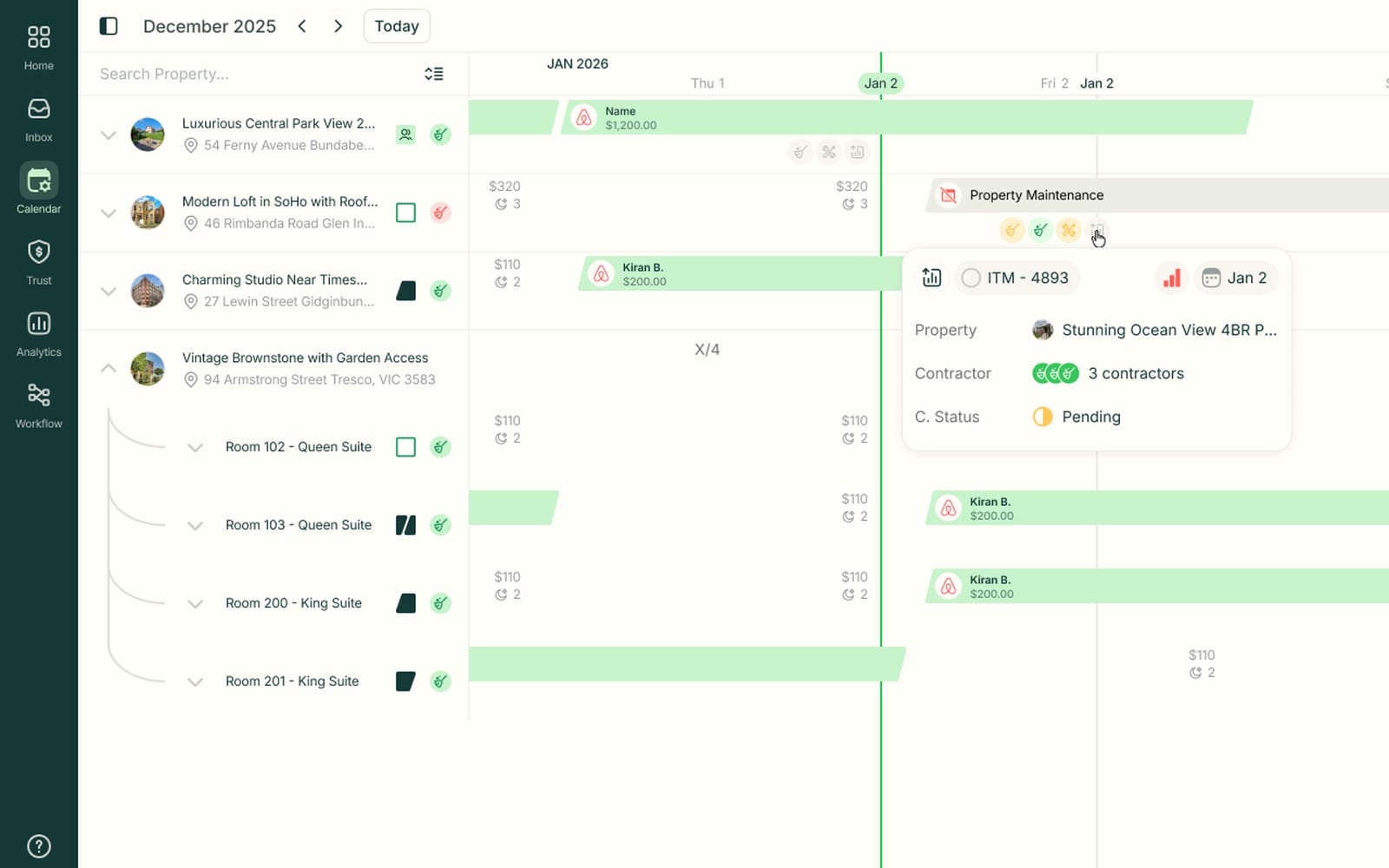
Maintenance blocks live beside your bookings
A maintenance job shows as a block on the calendar, with its contractor and status a click away. You can see why a property is unavailable without opening the job.
- Nightly rates under every date
- Contractor and job status on every maintenance block
- Multi-unit properties expand into room-level rows
What the Multi-Calendar does in a day


Cozy Cabin
Airbnb · 3 nights · on the timeline
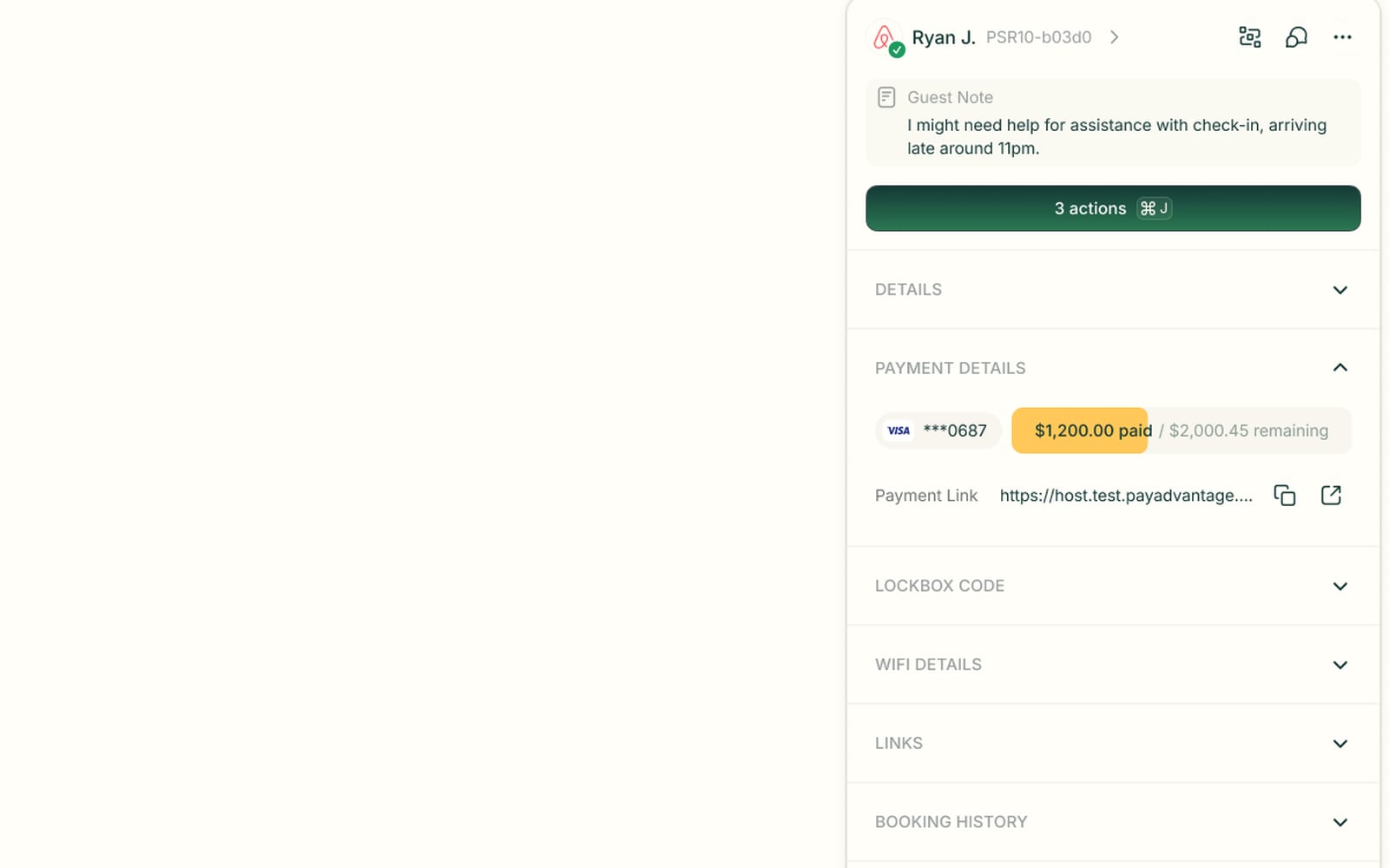
Open any booking to handle payment and access
Click a stay and its sidebar opens with the guest note, payment status, lockbox code and Wi-Fi details. You can send a payment link or look up a door code without switching screens.
- Card on file with paid and remaining amounts
- Payment link ready to copy and send
- Lockbox code and Wi-Fi details in the sidebar
Multi-Calendar questions
Everything operators ask about Multi-Calendar before switching.
Airbnb, Booking.com and Vrbo, plus your own direct-booking site. Every stay lands on the same timeline, so availability stays in sync.
Yes. A property expands into room-level rows, like queen and king suites. Each room keeps its own availability and bookings.
Yes. Nightly rates sit under every date. You can update rates and stay details for a date range right from the calendar.
Yes. Drag a stay on the timeline to move or extend it. Open any booking to handle payments, notes and access details from its sidebar.
Still have questions?
Ask PropertyStackEvery stay, always at a glance.
Paste an Airbnb listing and we'll show you what it could look like — a rewritten title, description, photos and a task list from your reviews.
- Syncs with every channel
- Cancel anytime
- AI agents with Pro