Airbnb message templates: every message from booking to checkout
A complete, copy-paste library for the six messages every stay needs — with the variables, timing and automation that make each one feel personal.

Ryan J
Co-Founder, PropertyStack · · 16 min read
Contents
Somewhere around the tenth booking, every host notices the same thing: they are typing the same messages, in the same order, to every guest. The confirmation. The directions. The door code. The “how is everything?” The checkout steps. The review ask. Six messages, every stay, in a sequence that barely changes.
The fix isn't typing faster — it's writing each message once, properly, and sending it at the right moment. This guide is a complete library of Airbnb message templates covering the whole arc of a stay, from the minute a booking lands to the review request after checkout. Copy them, swap in your details, and adjust the tone until they sound like you. Messaging is also the first system most hosts automate — if you're building the full stack, the complete Airbnb automation guide maps where these templates fit.
Why does message timing matter more than message length?
Most hosts obsess over what to say. Guests mostly notice when you say it. A guest three days out doesn't need Wi-Fi credentials; a guest standing at the front door with luggage doesn't need your favorite brunch spot. The same information, delivered at the wrong moment, reads as noise — and noise trains guests to skim your messages, including the one with the door code in it.
Well-timed messages also shrink your inbox. Each message in the timeline below exists to answer a question before the guest has to ask it: Am I actually confirmed? How do I get in? What's the Wi-Fi password? When do I have to leave, and what do I do with the keys? Answer those on schedule and the remaining conversations are the interesting ones — a restaurant recommendation, a late-arriving flight, an extra night.
Timing is also what separates a template from a form letter. A generic blast at a random hour feels automated. A short, specific message that arrives exactly when it's useful feels like hospitality — even when a workflow sent it. Get the timing right and you can reuse the same words for a hundred guests without any of them feeling like the hundredth.
The templates in this guide are timed to that logic. Each one lands inside the window when the guest is primed to read it: the confirmation while the booking anxiety is live, the arrival details while the trip is being planned, the door code while it's needed, the review ask while the goodwill is warm. Shift any of them a day in either direction and the words don't change — the usefulness does.
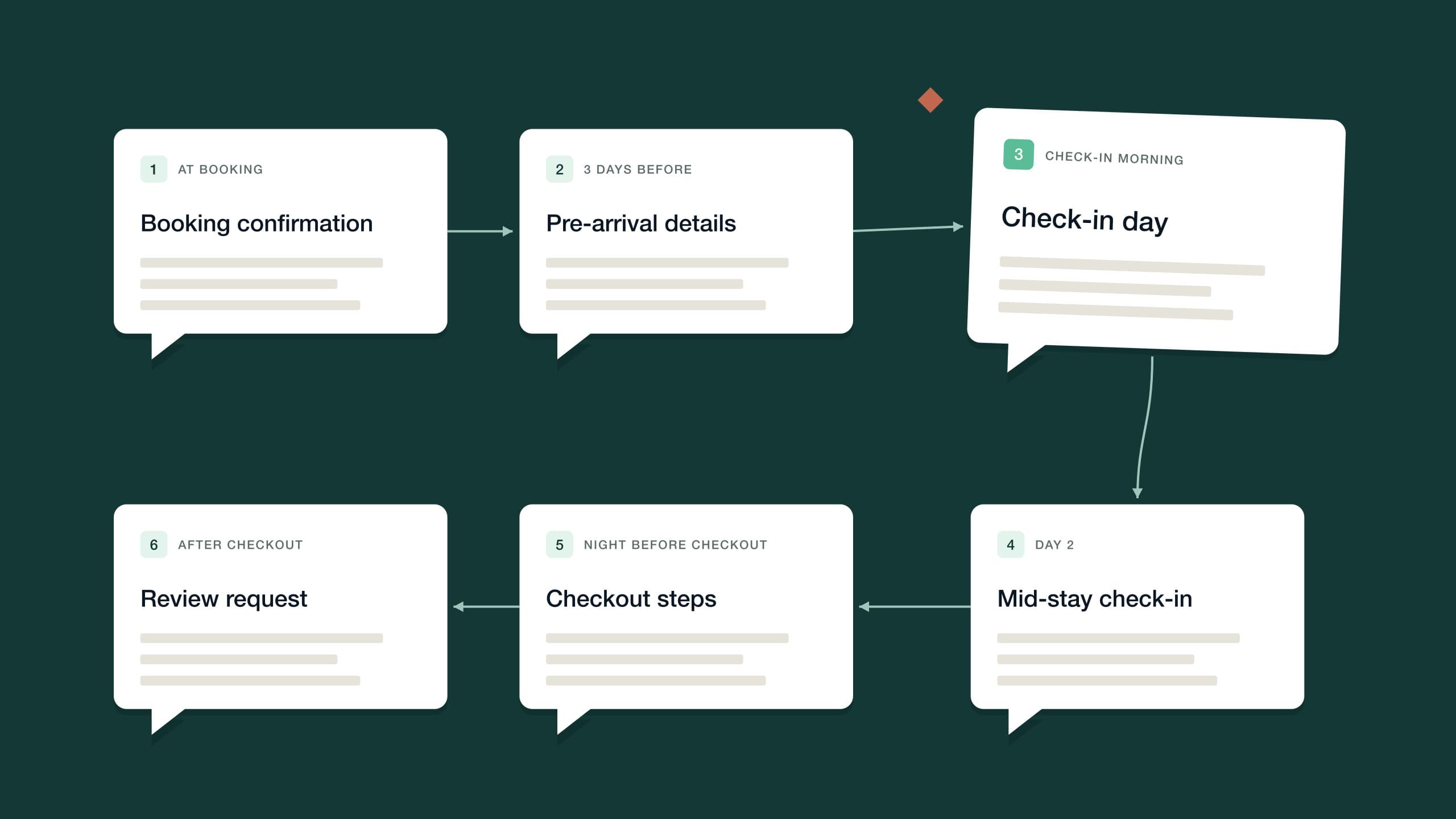
The Airbnb message timeline: six messages every stay needs
Every template in this library maps to one moment in the stay and does one job. Here's the timeline at a glance — each message gets its own section below, with a copy-paste template you can adapt.
| Message | When it sends | The job it does |
|---|---|---|
| Booking confirmation | Within minutes of booking | Confirms the reservation is real and says what arrives when |
| Pre-arrival details | About three days before check-in | Directions, parking and timing, plus a question about arrival plans |
| Check-in day | Morning of arrival | Door code, Wi-Fi and everything needed to get in without help |
| Mid-stay check-in | Morning after the first night | Surfaces small problems while there's still time to fix them |
| Checkout eve | Evening before departure | States the checkout time and the two or three steps that matter |
| Review request | A few hours after checkout | Thanks the guest and makes one ask while the stay is fresh |
1. The booking confirmation message
Send this within minutes of the booking landing. The guest has just handed money to a stranger on the internet, and the first thing they want is a human acknowledgment that the reservation is real. The confirmation has three jobs: confirm the booking, set expectations about what information arrives when, and open the conversational door for questions.
What it should not do is dump every detail of the stay into one wall of text. Door codes sent three weeks early get scrolled past, then asked about again on arrival day. Telling the guest exactly when the practical details will arrive is what lets you hold them back without seeming cagey.
This first message also sets the voice for everything that follows. If the confirmation reads like a shipping notification, the guest files the whole thread under “automated” and stops reading closely. If it reads like a person — short sentences, a warm sign-off, a real name — they'll give the five messages that follow the same attention.
2. The pre-arrival message, about three days out
Three days out is the sweet spot. It's close enough that the trip is front of mind and the details will actually be used, and far enough out that the guest can still act on them — plan the drive, sort out parking, warn you about a midnight flight. This message carries the logistics that take planning: the address, directions, parking arrangements and the check-in window.
It's also the one message in the sequence that should ask a question, because the answer shapes the arrival: roughly what time is the guest planning to get in? A guest who tells you they land at 11 p.m. has just saved both of you a fumbling doorstep phone call — and a guest who says 1 p.m. gives you the chance to offer early check-in if the calendar allows it.
3. The check-in message template for arrival day
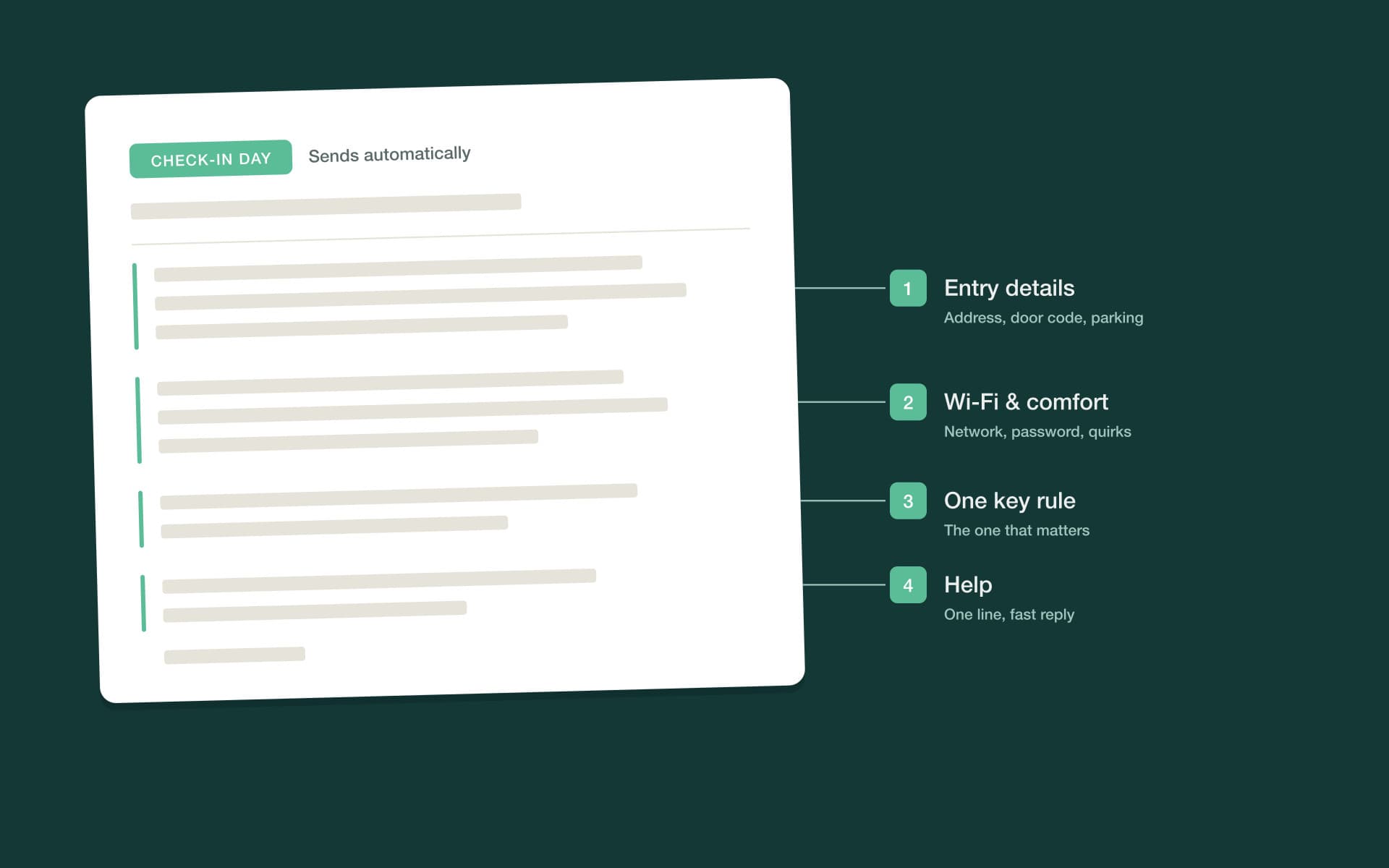
The check-in message — the one many hosts call the Airbnb welcome message — is the message your guest will actually read standing on the doorstep, so build it for that moment. Everything needed to get inside comes first: the address, the entry steps, the door code. Then the first ten minutes indoors: Wi-Fi name and password, heating or cooling, where to park if they haven't already. Then the single house rule that genuinely matters at your property. Everything else — appliance quirks, local tips, the full rules list — belongs in your guidebook, linked rather than pasted.
The anatomy matters more than the wording: entry first, comfort second, rules third, help last. Before you save your version, read it on your phone and imagine holding a suitcase in the other hand. If a detail doesn't serve that person in that moment, move it somewhere else.
4. The mid-stay check-in
This is the most skipped message on the timeline and the one with the most leverage. Sent the morning after the first night, it does exactly one thing: it surfaces problems while there's still time to fix them. A guest who mentions a dripping tap on day two gets a plumber and feels looked after. A guest who mentions it for the first time in a review was quietly annoyed for the whole week. The mid-stay message turns the second guest into the first.
Keep it to two sentences. A long message here feels like an intrusion on the holiday; a short one feels like care. And when a guest replies with an actual problem, that's your cue to put the templates down and respond as a person — more on that below.
For longer stays, repeat it. On a week-long booking, one check-in after the first night is enough; on a month-long stay, a brief note each week keeps small irritations from compounding, and quietly reminds the guest that someone is paying attention. Change the wording each time so the care doesn't start reading like a metronome.
5. The checkout-eve message
Send this the evening before departure, not the morning of — guests planning an early exit pack the night before, and a checkout message that arrives after they've left is worse than none. It has two jobs: state the checkout time plainly, and keep the ask small. Two or three simple steps is the ceiling. A checkout list that reads like a cleaning contract sours the final impression at the exact moment the guest is deciding how the stay felt.
What counts as a reasonable step? Anything that takes under a minute on the way out: trash in the bin, keys on the counter, windows latched, dishwasher started. Anything that needs rubber gloves belongs to the cleaning team — you're hosting guests, not training housekeepers.
The checkout-eve message is also the natural moment for one genuinely useful offer. If the calendar is open the following night, a late checkout is an easy yes for a slow-morning guest — one of the simplest paid extras in hosting, offered at the exact moment it's most wanted.
6. The post-checkout message and review request
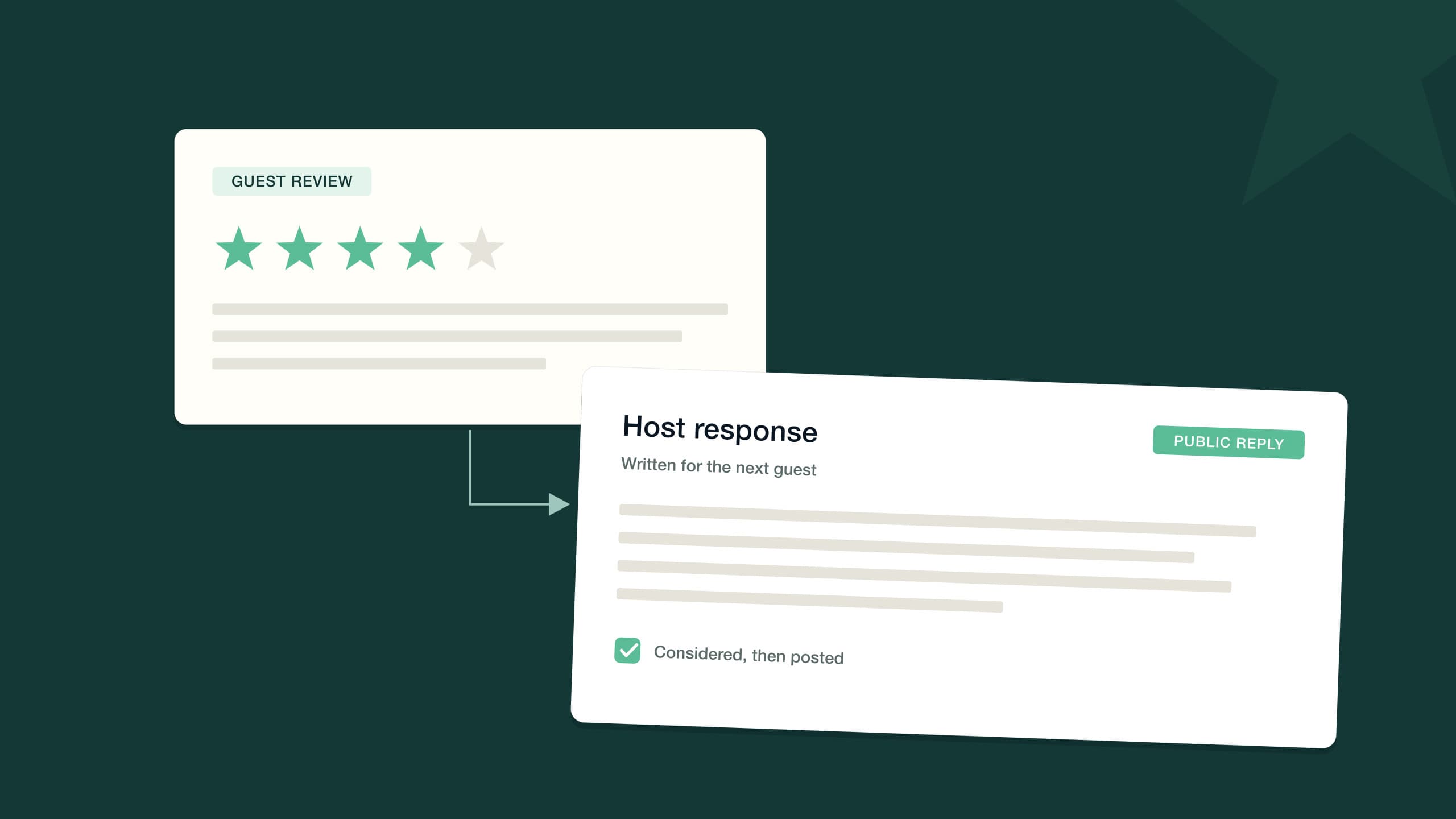
Send this a few hours after checkout, once you know the stay ended cleanly — after the turnover team has been through is ideal. It has three beats: thank the guest, make the review ask, and leave the door open for a return visit. One ask, made once. Chasing a review with reminders is how a five-star stay turns into a resentful silence, or worse.
Mentioning that you're leaving them a review is fair — it prompts reciprocity without demanding it. And inviting honest feedback in the same breath as the review ask does something subtle: it gives an unhappy guest a private channel that isn't the public review box.
Personalization variables: what turns a template into a message
Every template above leans on variables — the {curly brace} fields that fill themselves from the reservation and the property record. They're what let one well-written message serve a hundred guests without reading like it was written for none of them. The working set is smaller than you'd think:
| Variable | Fills from | Where it earns its keep |
|---|---|---|
| {guest name} | The reservation | Every message — the first word the guest reads |
| {property name} | The property record | Confirmation and check-in; anchors every message to the right stay |
| {check-in date} / {checkout date} | The reservation | Confirmation — lets the guest catch a date mistake early |
| {check-in time} / {checkout time} | Property settings | Pre-arrival and checkout eve |
| {door code} | Smart lock or property record | Check-in day only — codes sent early get buried |
| {wifi name} / {wifi password} | The property record | Check-in day; the first thing most guests look for |
| {parking details} | The property record | Pre-arrival and check-in day |
| {checkout steps} | The property record | Checkout eve — hold it to two or three items |
Variables handle the facts. What they can't fake is attention — so layer one human detail on top where the guest will feel it. If the booking note mentioned an anniversary, the pre-arrival message should say congratulations. If they asked about hiking at booking, the check-in message can end with the trailhead five minutes away. Two personal sentences per stay, placed well, do more for how a guest feels than a fully hand-typed thread you don't have the hours to sustain.
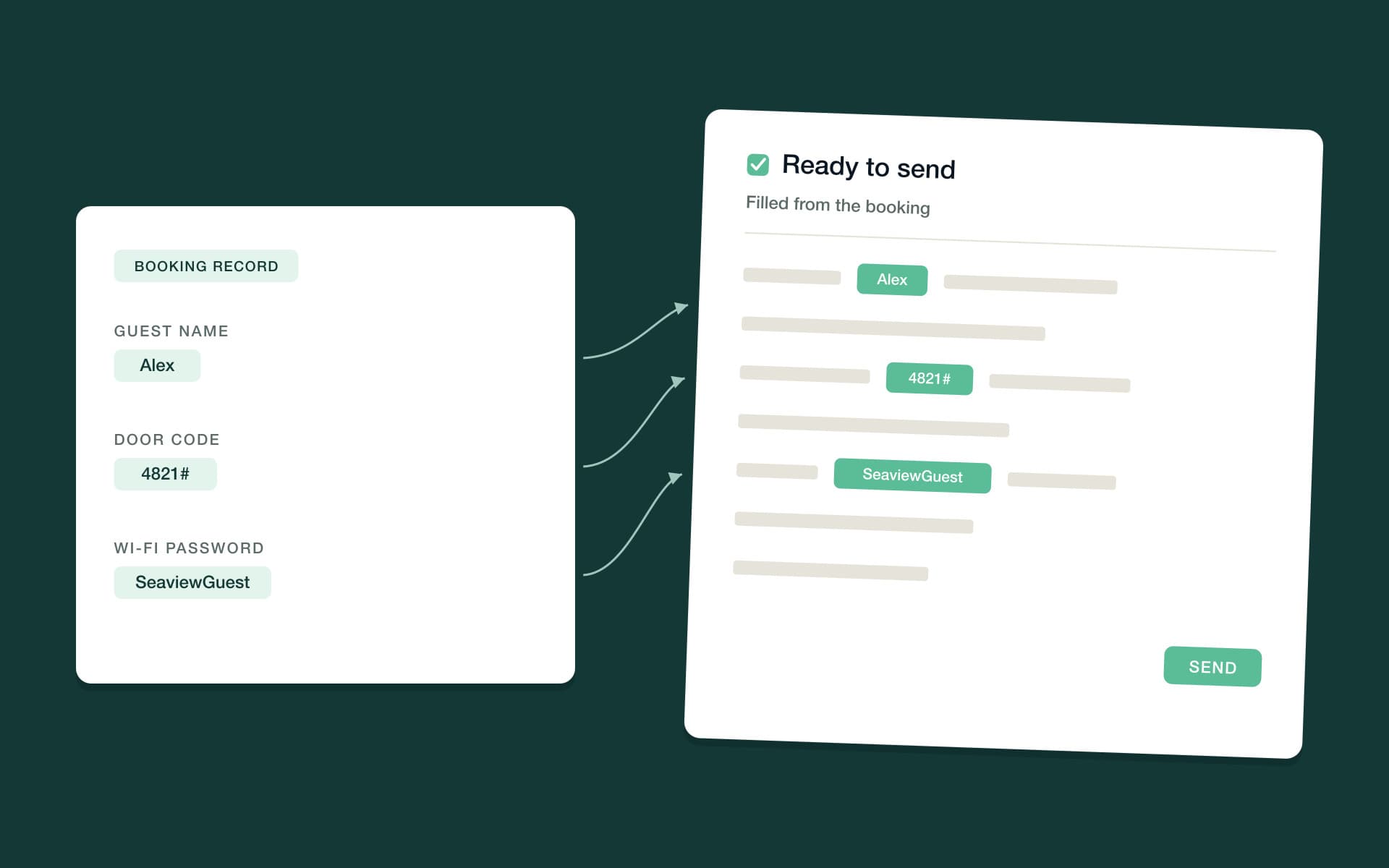
One discipline keeps variables trustworthy: the data behind them has to be right. A {door code} variable pointed at a stale code is worse than no automation at all, because it fails with total confidence. Keep Wi-Fi details, parking notes and checkout steps in one property record that everything sends from — not in the templates themselves — so fixing a detail once fixes it everywhere.
How do Airbnb automated messages work without sounding robotic?
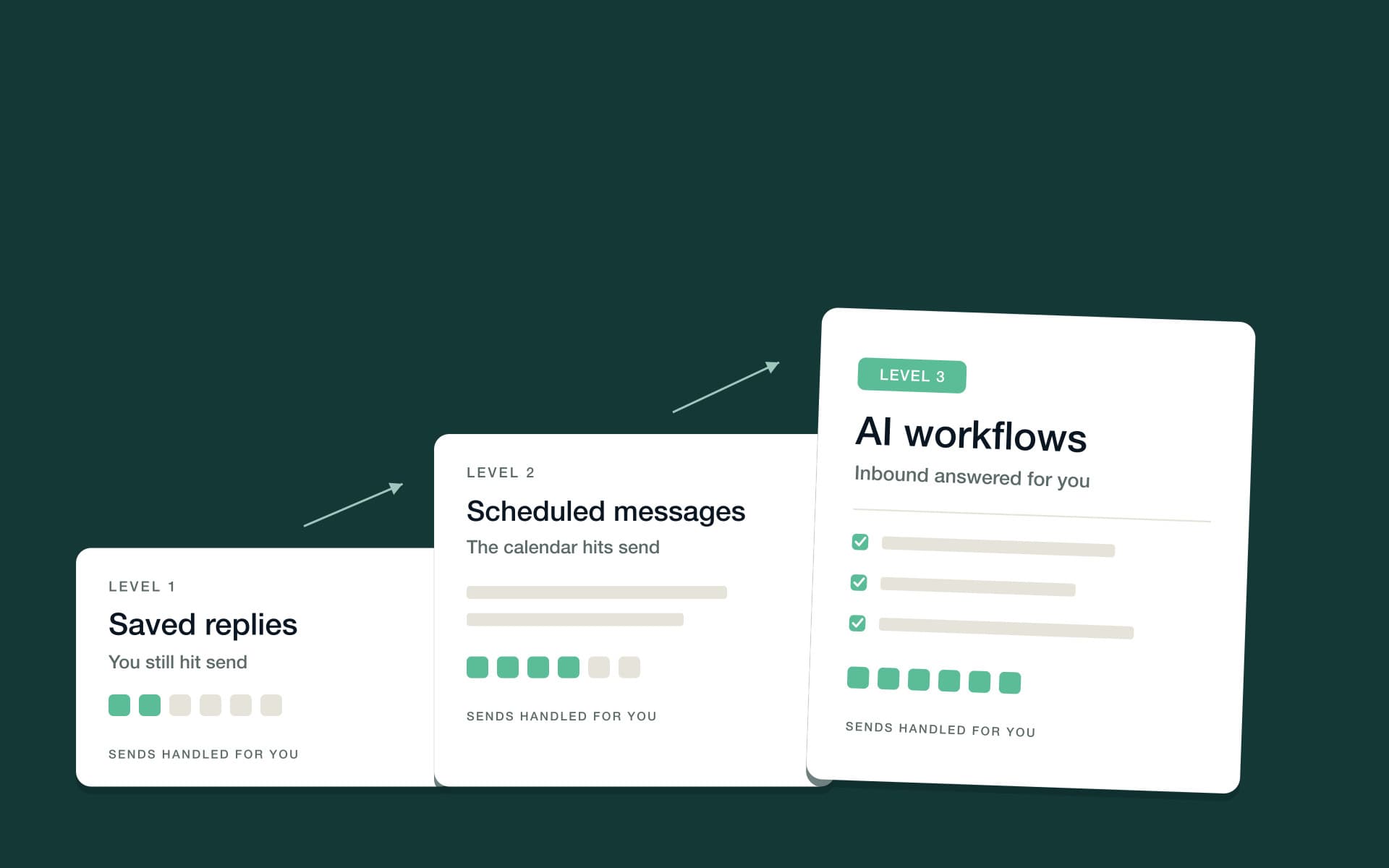
Once the templates exist, the question becomes how they get sent. There are three levels of automation, and most hosts climb them in order. The principle at every level is the same: automate the schedule, not the humanity. The words stay yours; the system supplies the timing.
Level 1: saved replies — manual, but fast
Airbnb saved replies are canned answers you insert with a tap and can edit before sending. They're the right place to start: you keep full control of every send while the typing drops out of the job, and editing before sending keeps each message specific to the guest. Their limit is structural — a saved reply still depends on you noticing the moment. Saved replies make you faster; they don't make the timeline run.
They still earn a place after you've automated the timeline, because saved replies cover the questions rather than the schedule. Keep a short library for the asks that recur outside the six-message sequence: the early check-in request, the pet policy, the extra-night question, directions from the airport. Writing each answer once, well, beats improvising it badly forty times.
Level 2: scheduled messages
Scheduled sends attach a template to a trigger: booking confirmed, three days before check-in, morning of arrival, evening before checkout. Set them up once and the six-message timeline runs itself for every reservation, with variables filling in the details. This level covers the core sequence completely, because those messages are predictable by design. What a schedule can't do is respond — when the guest replies to your mid-stay check-in with “actually, the hot water is out,” a scheduler has nothing to offer.
Level 3: AI workflows
The third level responds as well as sends. PropertyStack, an agentic property management platform for short-term rentals, is built around exactly this ladder: guest messaging supports manual messages, scheduled automations and AI workflows, with a communications analytics view to see how it's all performing. Vacation rental automation workflows run the timed sequence — triggers, delays and branches, so the pre-arrival message can wait three days and skip itself for a last-minute booking.
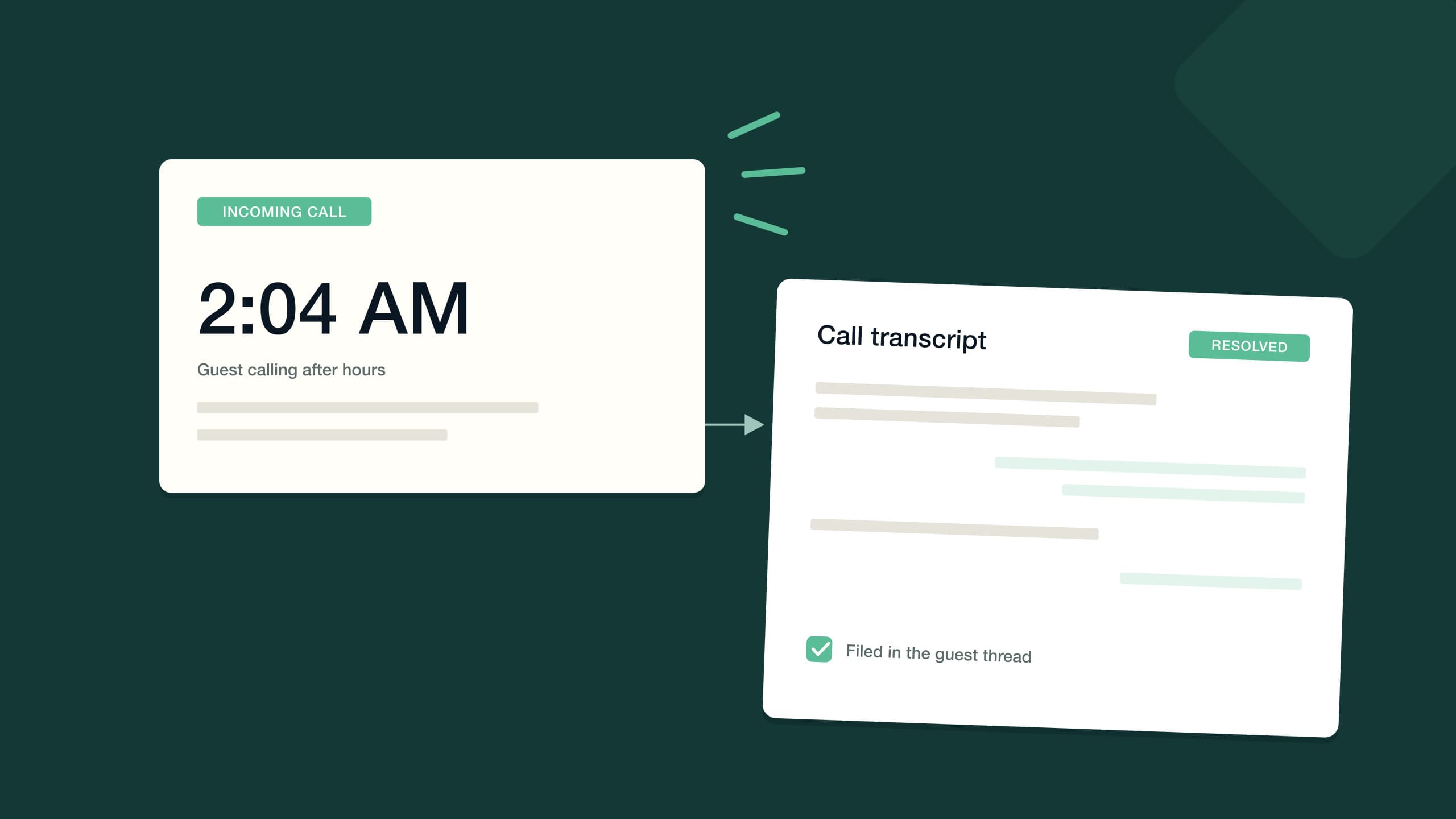
On top of the schedule, AI guest messaging handles the conversations themselves — answering the repetitive questions about check-in, Wi-Fi, parking and late checkout around the clock, managing mid-stay issues, and detecting the guest's language and replying in it. Every thread lands in one unified inbox across Airbnb, Booking.com, Vrbo, SMS, WhatsApp and email, so the automated conversation and the human one are the same conversation, visible in one place.
Whatever level you're on, three habits keep automation invisible:
- Write in your speaking voice. Contractions included. Read each template aloud before it ships; if you wouldn't say it at the front door, don't send it from a workflow.
- Vary the openers. If every message begins “Hi {guest name}, just a quick note,” the pattern shows by day two. Each of the six messages should start differently.
- Send at human hours. A 3 a.m. timestamp is the loudest possible announcement that a robot wrote the message. Schedule sends for the morning and evening windows a person would choose.
When should a human take over?
Templates and automation earn their keep on the predictable messages — which, happily, is most of them. But some conversations should route straight to a person, whatever level of automation you run:
- Money in dispute. Refund requests, damage claims and anything touching a deposit deserve judgment and a name attached, not a template.
- Safety and security. A gas smell, a broken lock, a guest who feels unsafe — these get a person, immediately, on the phone if possible.
- Emotion. An upset guest wants to be heard by someone. A template dropped into an angry thread reads as an insult, and it will be quoted in the review.
- Anything off-script. A request you don't have a template for is the signal that the situation is genuinely new. Treat it that way.
Good AI messaging is designed around the same boundary. In PropertyStack you set guardrails and approval thresholds per agent — you decide what runs automatically and what waits for your sign-off — and the AI escalates to a human when something genuinely needs one. The division of labor is the point: automation carries the six messages every stay needs, so you arrive fresh to the one conversation each stay that's different.
Copy the templates, then automate one message at a time
You don't need to build all of this in a weekend. Copy the six templates, swap the variables for your property's real details, and rewrite each one until it sounds like something you'd actually type. Send them manually for a stay or two and notice what guests still ask — that's your edit list. Then schedule the two with the most obvious timing, the booking confirmation and the check-in message, and add the rest as they prove themselves. Automation should be something your messages earn, not something they suffer.
Frequently asked questions
The short version, for the questions operators ask most.
Lead with entry: the address, the door code or entry steps, and where to park. Follow with the Wi-Fi name and password, then the one or two house rules that genuinely matter, then how to reach you. Keep everything else in the guidebook — the welcome message is for a guest standing at the door.
The morning of arrival day. Sent earlier, door codes and Wi-Fi details get buried under other messages by the time the guest needs them; sent later, you risk a guest arriving before the instructions do. Pair it with a pre-arrival message about three days out for directions, parking and timing.
No. Saved replies are canned answers you insert manually and can edit before sending — you still have to notice the moment. Automated messages send themselves on a trigger or schedule, like booking confirmation or check-in morning. Most hosts use saved replies for questions and automation for the stay timeline.
Yes — and a scheduled review request is usually better timed than a manual one, landing a few hours after checkout while the stay is fresh. Keep it short, make the ask once, and skip reminder chasers; repeated requests do more damage than a missing review ever would.
Guest messaging in PropertyStack supports manual messages, scheduled automations and AI workflows, with a communications analytics view. Conversations from Airbnb, Booking.com and Vrbo — plus SMS, WhatsApp, email and the AI phone line — land in one inbox, and the AI escalates to a human when something genuinely needs one.
Still have questions?
Ask PropertyStack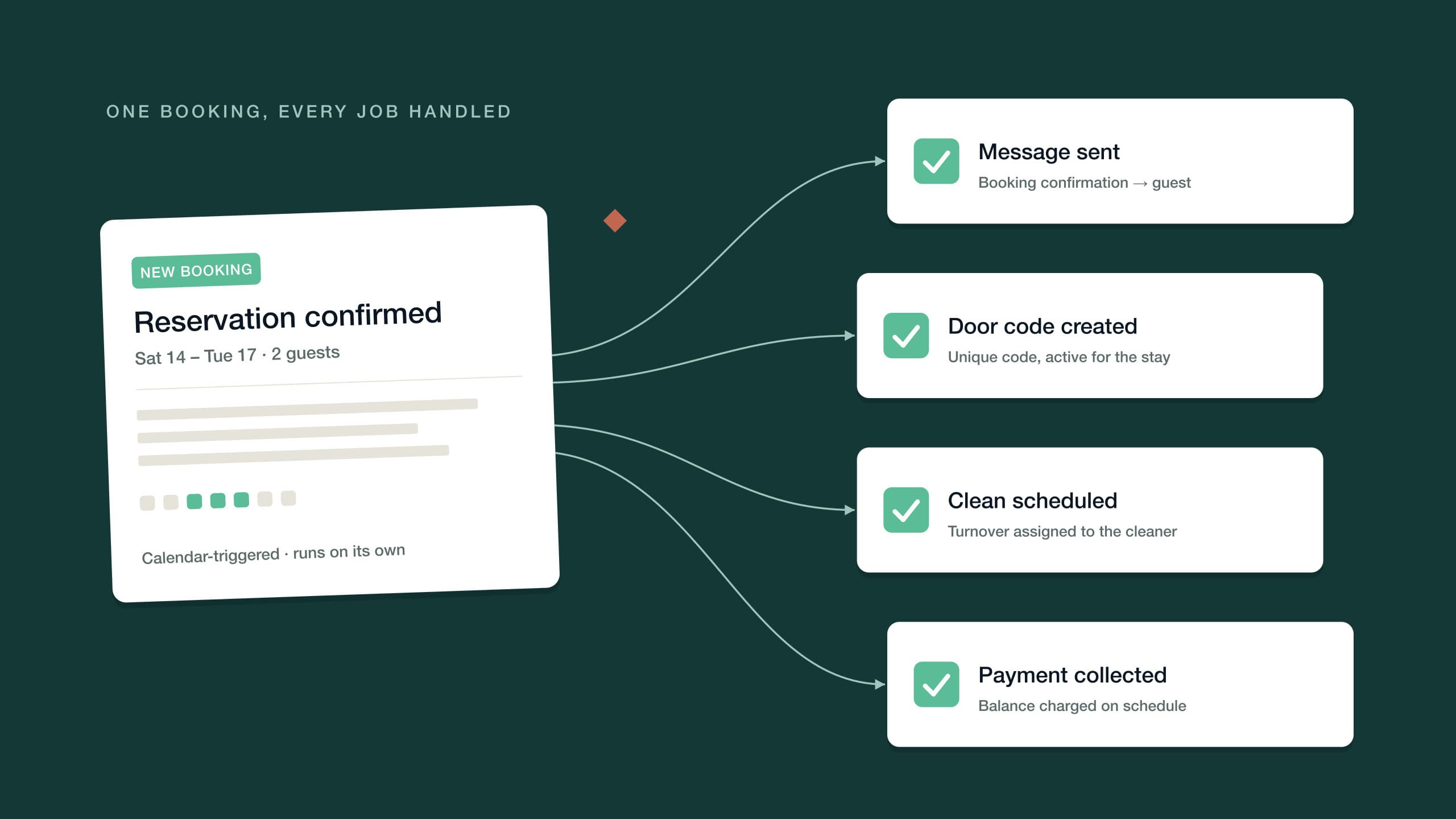

See it on your own listing. Free, from one link.
Paste an Airbnb listing and we'll show you what it could look like — a rewritten title, description, photos and a task list from your reviews.
- Syncs with every channel
- Cancel anytime
- AI agents with Pro