Airbnb's new house rules: what hosts and property managers must change
Airbnb now limits checkout chores, bans host fines and stops rules from being added after booking. Here is what the policy says, what you can still ask, and a seven-step audit for every listing you manage.

Ryan J
Co-Founder, PropertyStack · · 16 min read
Contents
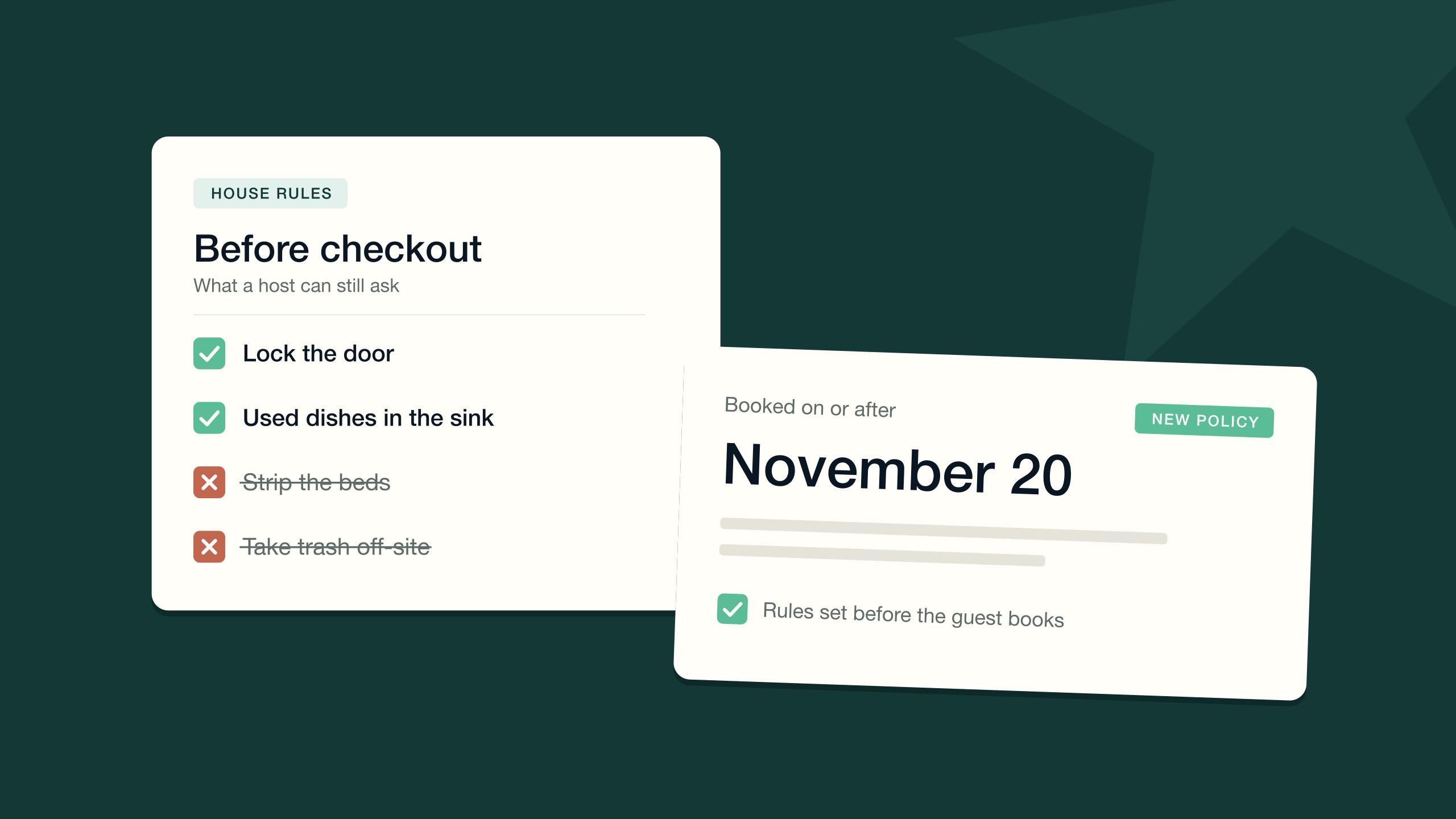
Airbnb has rewritten what a host can ask of a guest. For every reservation booked on or after November 20, 2026, a new house rules policy limits checkout chores, bans host-imposed fines and stops rules from being added once a guest has booked. Airbnb is now reviewing listings against it.
If you host one home, that is an afternoon of editing. If you manage a portfolio, it is a different problem. Your rules don't live in one place. They sit in listing text, saved messages, guidebooks, signs by the door, cleaner checklists and rental agreements, usually written by different people in different years. The policy now treats only one of those places as binding.
This guide covers what Airbnb's new house rules say, which checkout tasks survive, what happened to fines, contracts and guest ID, how enforcement and appeals work, and a seven-step audit you can run across every listing. The policy details come from Airbnb's own pages as of November 2026: Airbnb's announcement of the house rules changes and its reasonable house rules policy. Airbnb notes that its guidance can change, so check the live text before you act on any single line.
What are Airbnb's new house rules?
Airbnb announced the changes on October 20, 2026, and revised its guidance on November 3 after feedback from hosts. The policy took effect on November 20, 2026, and it applies to reservations booked on or after that date. Bookings made earlier keep the rules that were on the listing when the guest booked.
The stated goal is simple: guests should know what to expect before they book. Airbnb says checkout chores and unexpected rules have made guests hesitant to book for years. So it is doing two things at once — making house rules easier to find on the listing, and setting a standard for what a rule may ask.
House rules now come in two layers, both managed in one place in the Listing editor.
The seven standard house rules
Standard rules are fixed options you switch on and configure. Airbnb's announcement lists seven:
- Maximum overnight guests. How many people can stay overnight.
- Pets. Whether pets are allowed and, if so, how many.
- Smoking. Whether smoking is permitted, including vaping and e-cigarettes.
- Quiet hours. When noise should be kept to a minimum.
- Events. Whether events are allowed at the home.
- Commercial photography. Whether commercial photography and filming are allowed.
- Lock up at checkout. Whether guests must lock up, with optional detail on where keys go.
The last one replaces something. Lock up at checkout is now a standard rule, and the separate checkout instructions section has been removed from the Listing editor.
Additional rules, formerly requests
Anything specific to the home goes under additional rules, in one of two boxes: during the stay, or before checkout. Airbnb first called these requests, then relabeled them additional rules in the November 3 update because hosts found the first name confusing. This is where your remaining checkout instructions go. It is also where the new standard applies, because every additional rule has to be reasonable.
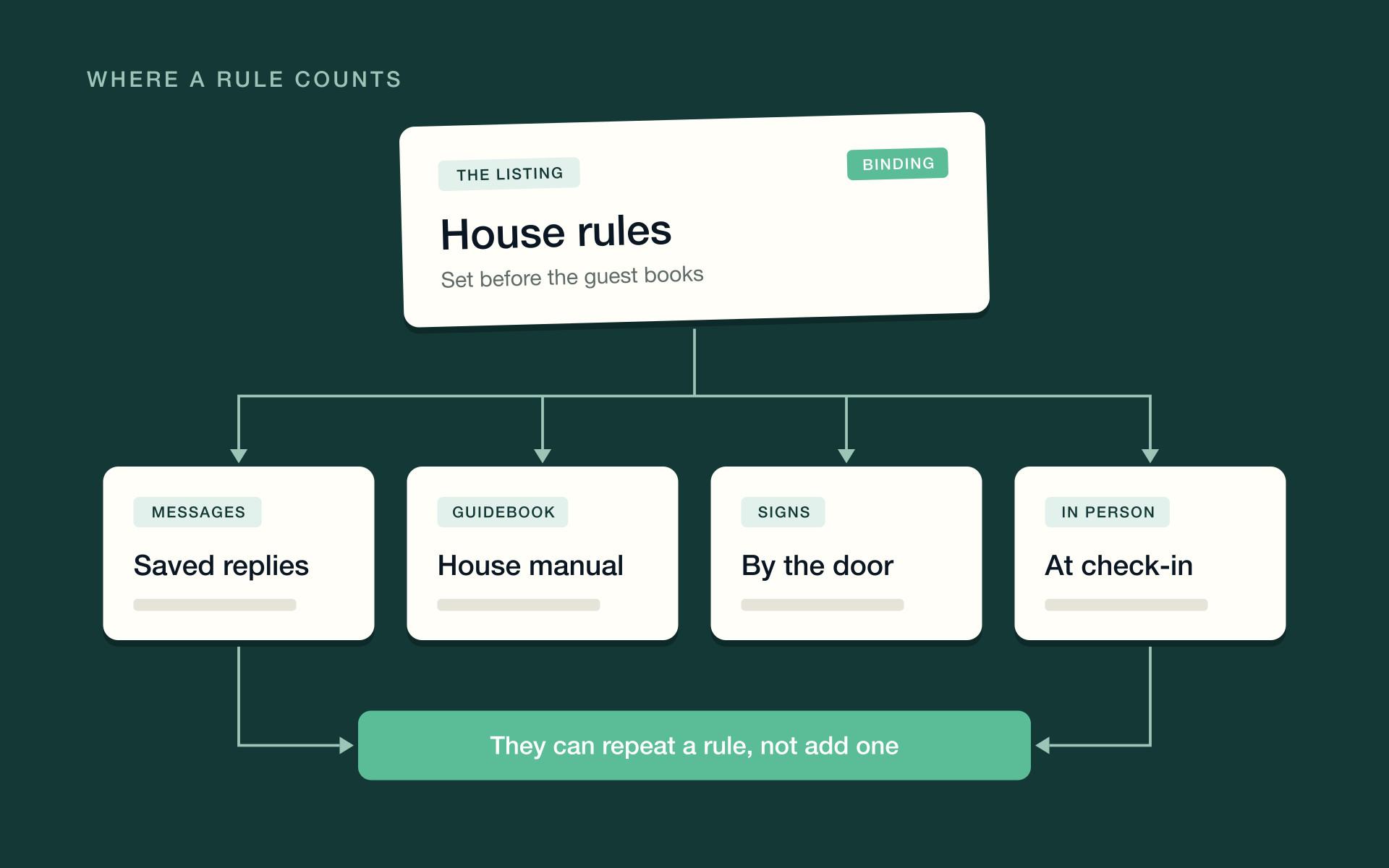
One requirement covers both layers. Every rule must be disclosed in the house rules section of the listing at the time of booking, and it has to be consistent with the rest of the listing page. Hosts may not introduce new rules elsewhere on the listing or after booking. Airbnb's policy names messages, signs in the home and in-person instructions specifically.
Which checkout chores can hosts still ask for?
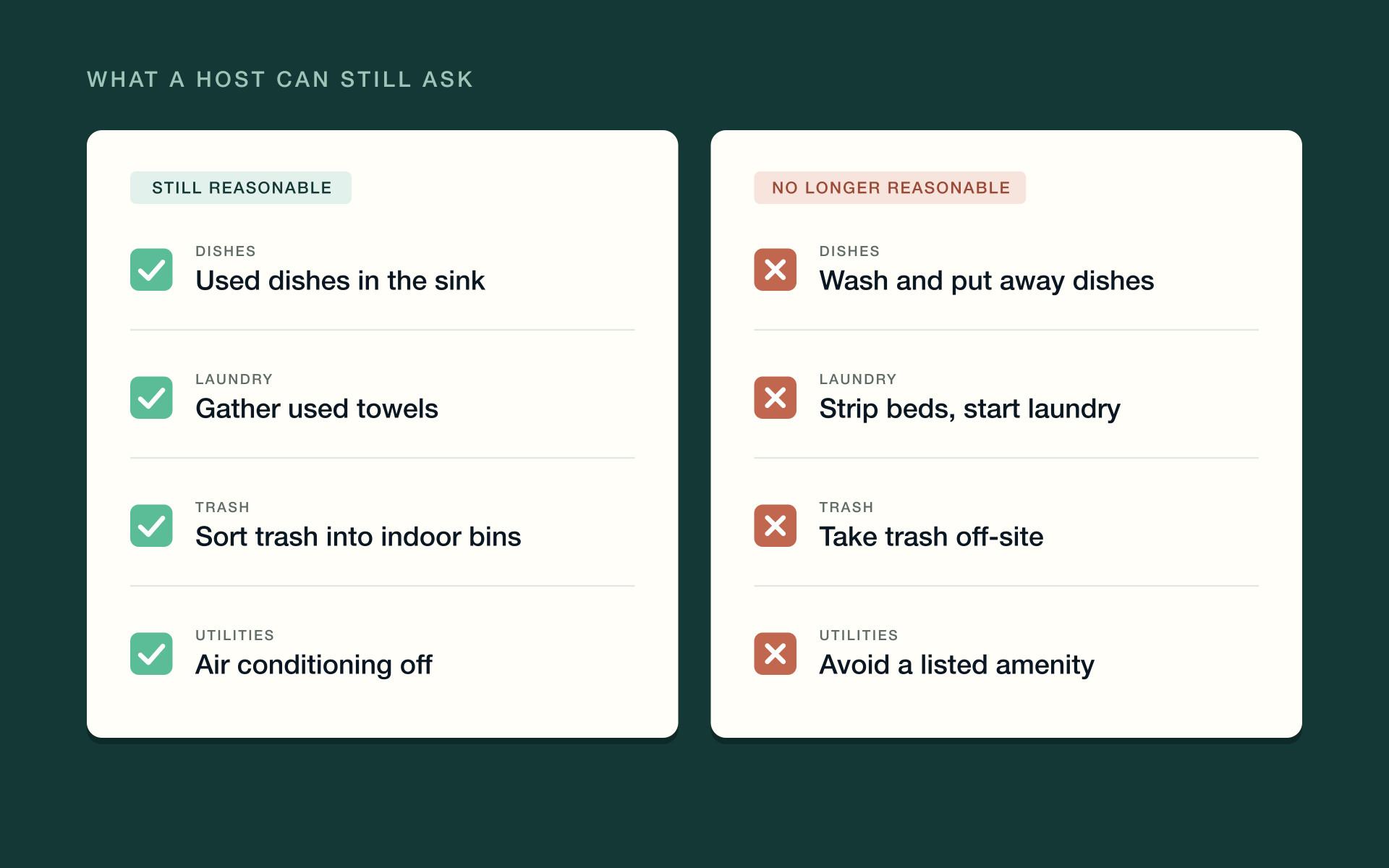
The test is effort. Under the policy, hosts are generally not allowed to ask guests for tasks that take significant time or effort, or that a cleaner would typically do. Airbnb gives paired examples for the four areas where most checkout lists live.
| Area | Still reasonable to ask | No longer reasonable |
|---|---|---|
| Dishes | Put used dishes in the sink | Wash dishes and put them away |
| Laundry | Gather used towels | Strip the beds or start a load of laundry |
| Trash | Sort trash and recycling into indoor bins | Take trash off-site |
| Utilities | Turn off the air conditioning when leaving | Avoid using an amenity the listing advertises |
Notice what the table does not say. It does not say the checkout list must be empty. Small asks — dishes in the sink, towels in one spot, things switched off, the door locked — are still fine, as long as they are written on the listing before the guest books.
Context can move the line. Airbnb says it weighs the type of listing and local factors, including local laws, and may grant exceptions. Its own examples are asking guests to use an animal-proof trash container where bears are active, and limiting shower time under drought-related water restrictions. If one of your homes has a reason like that, keep the reason in the rule itself and be ready to back it up.
Can Airbnb hosts still charge fines or extra fees?
No fines. The policy says hosts generally may not impose fines or other penalties on guests. That covers the familiar lines — a penalty for checking out late, a charge for leaving the kitchen messy, a fee for breaking a rule — however they are worded.
Three related points are easy to miss.
- Advertised features can't carry a surprise fee. Hosts may not restrict access to a feature the listing advertises, and any fee for an advertised part of the listing has to be in the price guests see at booking.
- Optional add-ons are fine. Airbnb says hosts may include information about fees for optional extras, such as a breakfast service, in their house rules. A penalty for leaving late is a fine. A late checkout the guest chooses and pays for is a different thing — an optional extra. Check the wording, and how you take payment, against Airbnb's pricing and payment transparency policy before you offer it.
- Third-party fines get their own section. If a local government or a community association, such as a homeowners association, could fine a guest, you can warn guests about it in the local rules area of the listing — not as an additional rule.
Damage is separate from all of this. The policy points hosts to AirCover for Hosts when a guest damages the home, and Airbnb's pricing policy says reimbursement requests go through its Resolution Center. So the replacement for a fixed damage fee is not a cleverer sentence. It is documentation: dated photos from each turnover, and a claim filed through the official route when something is actually broken.
Security deposits sit under the same pricing policy. Most hosts are not allowed to charge one. Airbnb says some hosts, including select software-connected hosts, may collect a deposit off-platform if it is disclosed in the right fee field before booking. If deposits are part of your operation, read that policy line by line before assuming you qualify.
What about rental agreements, guest ID and apps?
The chores rule got the headlines. For professional managers, the bigger change may be a companion policy that took effect on the same date: Airbnb's limits on host-imposed contracts and other requirements. It covers three habits common in managed portfolios.
Rental agreements
Hosts generally may not ask guests to sign a separate contract. The exceptions are narrow: a contract required by law, by a community association or by your insurance provider; one needed for an optional amenity, such as a golf cart; a stay of 28 nights or more; or a Luxe listing. An allowed contract must be relevant to the stay and disclosed in the contracts section of the listing, where it is publicly visible. Airbnb is explicit that it does not require guests to sign host contracts and does not help enforce them.
Guest ID and personal details
With limited exceptions, hosts may not ask guests for personal data at any point in the booking or the stay. The policy lists contact details such as a phone number, home address or email address; ID documents or photos; financial details; background or credit checks; and biometric or health data. You may check a guest's ID in person at check-in if the listing's additional rules say so. You may not keep a copy.
The exceptions are legal ones. Collection is allowed where it is needed to comply with applicable law or a documented community association rule, or to get an allowed contract signed. In those cases the listing must say what you collect and why, and you may not collect more than the rule calls for. Guest registration requirements vary by jurisdiction — confirm with your local regulator, and keep the evidence on file, because Airbnb may ask for it.
Apps, portals and off-platform steps
Hosts may not require a third-party app, or registration on another website, to get into the home or use a critical amenity. Keyless entry apps are allowed if you offer another way in when a guest asks, and optional apps that improve the stay are fine. Wi-Fi portals that ask for an email address are out for most listings. So is asking guests to review the stay or complete a survey on another website, unless the listing is a hotel.
For a managed portfolio, this is a workflow question more than a wording question. If your pre-arrival flow sends every guest to a form, a verification step or an app before they get a door code, check each step against the exceptions. A door code sent in the booking thread needs no download at all.
How does Airbnb enforce the new house rules?
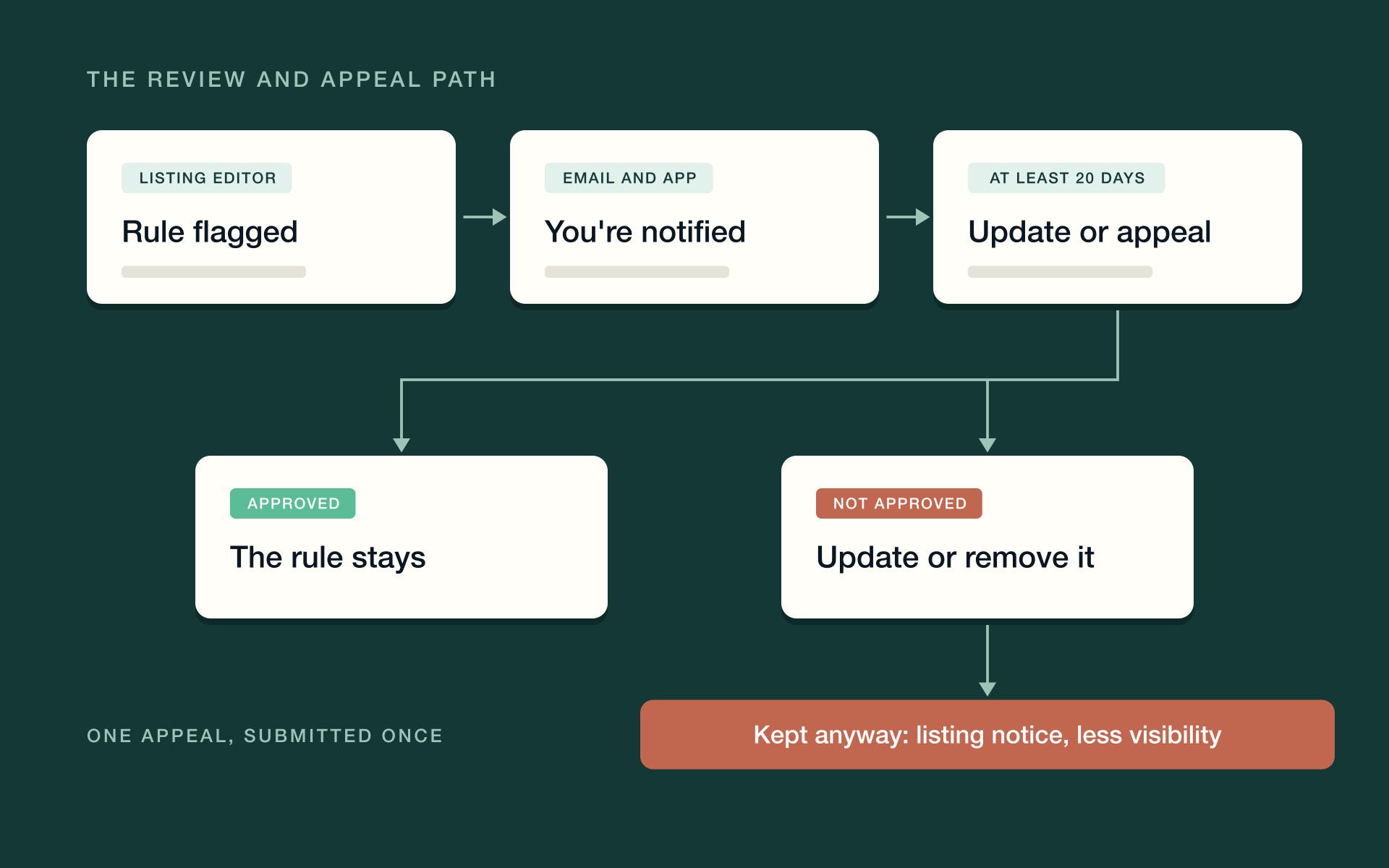
Enforcement starts in the Listing editor. When you add or edit additional rules, Airbnb flags wording that may not comply, highlighted in the text with a short explanation. You can still save a flagged rule, but Airbnb says it will then be subject to further review.
The checker reads words, not homes. When the trade publication Rental Scale-Up tested the editor with more than 20 sample rules, it flagged a request to use an animal-proof bin because of bears — the same situation Airbnb's policy gives as a reasonable exception. Treat a flag as a prompt to review, not a verdict. Treat a clean save the same way, because Airbnb reviews listings beyond the editor.
From there the process runs on a clock.
- Review. Airbnb scheduled listing reviews to start on November 20, 2026. The initial sweep runs through March 2027, and reviews continue on an ongoing basis after that.
- Notice. If an additional rule doesn't meet the policy, Airbnb tells you by email and in the app.
- At least 20 days. You get at least 20 days to update the rule or appeal.
- One appeal. An appeal is a written statement explaining why the rule is needed for that home, plus supporting files such as a local ordinance or a community association rule. You can submit it only once, so write it properly.
- Decision. If the appeal is not approved, Airbnb emails a deadline to update or remove the rule.
- Consequences. Keep an unapproved rule and guests may see a notice on the listing page. Persistent violations can also mean reduced visibility in search, or other action under Airbnb's terms.
The contracts and personal data policy has its own ladder: education and warnings first, then suspended or removed listings, and account removal for repeat offenses.
Enforcement runs the other way too. Guests are expected to follow the house rules on the listing. If a guest breaks one during the stay, or says before check-in that they intend to, you can cancel the reservation without fees or other consequences. That protection only covers rules that are on the listing — one more reason to get them there.
What do the new house rules change for property managers?
A single host can read the policy and edit a listing. A property manager has to change a system. Four parts of it need attention.
Rules live in more places than the listing
Walk through one of your homes on paper. The listing has house rules. The pre-arrival message adds a few. The guidebook adds parking and trash instructions. A sign by the door covers shoes and the hot tub. The checkout message asks for the beds to be stripped. Each line was reasonable when someone wrote it.
Under the new policy, only what is on the listing at the time of booking counts as a house rule. Everything else can remind a guest of a rule — Airbnb now offers your house rules as a ready-made quick reply for that purpose — but it cannot create one.
Safety notices are the gray area. Airbnb's policy does not spell out where a safety instruction ends and a house rule begins. The cautious reading: if a guest must follow it, put it in the listing's additional rules as well as on the sign.
The checkout list moves into your turnover
Every chore you delete from a checkout list lands on someone else. Beds your guests used to strip now get stripped by your cleaner. Dishes that used to be washed are waiting in the sink. Trash that used to go out is still inside. None of it is dramatic at one home. All of it adds up across a portfolio with back-to-back turnovers.
Decide deliberately where the work goes. You can absorb it in the current cleaning scope, rescope and reprice the clean, or — where a rule exists for a real local reason — keep it and appeal. What you can't do is leave the old list in place and hope. That choice risks a guest-facing notice and reduced search visibility.
One policy, several channels
This policy governs Airbnb reservations. Your other channels and your direct bookings run on their own terms. That leaves two workable designs. Run one rule set everywhere, written to the strictest standard. Or keep channel-specific rules and messages, and accept the upkeep.
The first is simpler to operate. The second preserves things like a rental agreement for direct bookings — at the price of making sure an Airbnb guest never receives the direct-booking version of a message.
Your software can undo your edits
If your property management system pushes listing content to Airbnb, fix the rules at the source. An edit made only in Airbnb's Listing editor can be overwritten by the next sync, and a rule you removed will quietly return. After you update, open the live listing and confirm what a guest actually sees.
A seven-step house rules audit for every listing
Run this once per listing, then keep the output as your record. The order matters: collect first, decide second, edit last.
- Collect every rule from every surface. Listing house rules, the old checkout instructions, saved and scheduled messages, guidebooks and house manuals, signs in the home, cleaner checklists, rental agreements and any pre-arrival forms.
- Sort each line into one of five piles. A standard rule. A reasonable additional rule. Work that moves to your cleaning scope. A rule with a local reason worth appealing. Or a line to delete.
- Rewrite the checkout list. Keep it to the small asks — dishes in the sink, towels gathered, things switched off, door locked — and put it under additional rules, before checkout.
- Move the chores into the turnover. Add the removed tasks to your cleaner checklists, re-time the clean, and settle the price with your cleaners and your owners.
- Make every other surface a mirror. Edit messages, guidebooks and signs so they repeat the listing's rules and add none. Put fines a local authority or community association could impose in the local rules section.
- Check contracts, ID and app steps against the exceptions. Keep what the law, a community association or your insurer requires, disclose it on the listing, and collect no more than the requirement calls for.
- Save, read the flags, and appeal where it's justified. Open each listing's house rules, save, and read what the editor flags. File appeals with evidence inside the window, and note the date you were notified.
Every line in that message should already appear in the listing's house rules. The message is a reminder, not the rule. For the rest of the stay, our Airbnb message templates for every stage of the stay run from booking confirmation to post-checkout.
How do you explain the change to owners and cleaners?
Owners will hear about this from the news before they hear it from you, unless you move first. Keep the note short: what Airbnb changed and when, which of their home's rules are affected, what you did about each one, and what it does to cleaning costs, if anything. Owners can accept a cost that arrives with an explanation. It's the unexplained line on a statement that starts the phone call.
Cleaners need the mirror image: the tasks that are now theirs, the time allowed for them, the new rate if there is one, and the photos you want at the end of each clean. That last part matters more than it used to. With fixed penalties gone, dated turnover photos are what stand behind a damage claim.
Where does software help with the new house rules?
Most of this audit is judgment: which rules matter, which to appeal, what to tell an owner. The part that follows is repetition — the same edits, messages and checklists across every home, kept in step from now on. That is where software earns its place.
PropertyStack, an agentic property management platform for short-term rentals, keeps those moving parts in one system. Turnover work lives in short-term rental task management, with tasks generated from bookings and assigned across your team, and cleaners work from checklists with photo uploads in the contractor portal. A chore that leaves the checkout list has somewhere to land. Check-out messages are sent by workflows rather than typed from memory, and each property's digital guidebook for Airbnb guests carries check-in steps, Wi-Fi details and house rules for guests to reread.
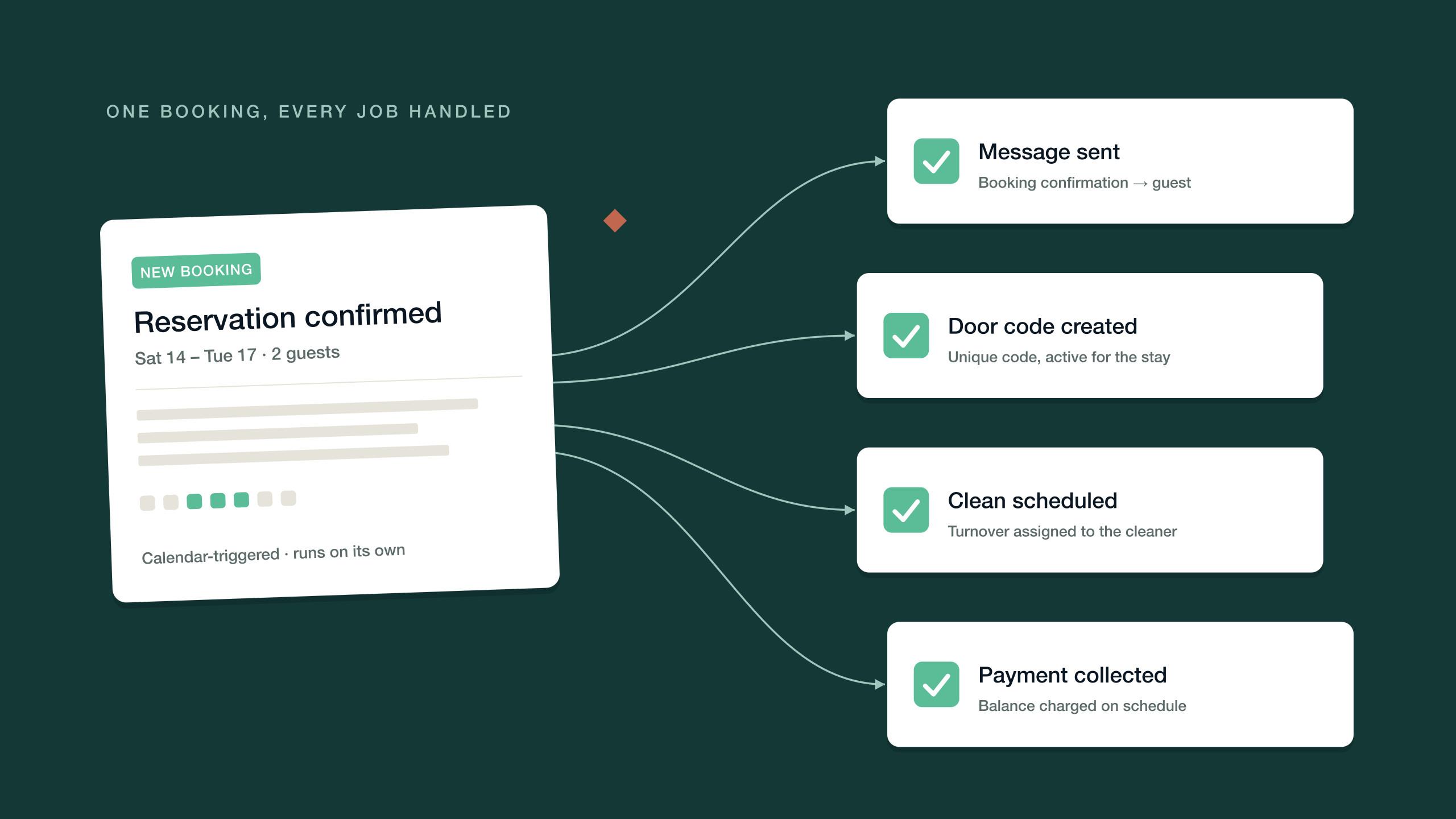
Guest questions are the other half. The communication agent, an AI guest messaging agent, answers the repetitive ones around the clock — check-in, Wi-Fi, parking, late checkout — in the guest's language, and escalates to a human only when needed. You set guardrails and approval thresholds per agent, so you decide what runs automatically and what waits for your sign-off. Where a home uses smart locks, guest door codes are generated automatically.
None of that decides what your rules should be. It makes sure that once you've decided, every listing, message and checklist says the same thing — the wider case for Airbnb automation, seen through one policy change.
Frequently asked questions
The short version, for the questions operators ask most.
The policy applies to reservations booked on or after November 20, 2026. Bookings made before that date keep the rules that were on the listing when the guest booked. Airbnb scheduled listing reviews to start on the same date, with the initial review running through March 2027.
Small ones. Airbnb's examples of reasonable asks include putting used dishes in the sink, gathering used towels, sorting trash into indoor bins and turning off the air conditioning. Stripping beds, starting laundry, washing and putting away dishes, and taking trash off-site are generally not allowed.
No. The policy says hosts generally may not impose fines or other penalties on guests. Damage is handled separately through AirCover for Hosts and Airbnb's Resolution Center, and fines a local government or community association might impose can be disclosed in the listing's local rules section.
No. Every rule must be in the house rules section of the listing when the guest books. Messages, signs in the home and in-person instructions can remind guests of existing rules, but they can't introduce new ones, and changes to house rules only apply to future reservations.
Only in limited cases. Contracts are allowed where required by law, a community association or an insurer, for optional amenities, for stays of 28 nights or more, and for Luxe listings. ID can be checked in person at check-in if disclosed, but copies generally can't be kept.
Airbnb notifies the host by email and in the app, with at least 20 days to update the rule or submit one appeal. If an unapproved rule stays, guests may see a notice on the listing, and persistent violations can reduce search visibility or lead to other action.
Still have questions?
Ask PropertyStack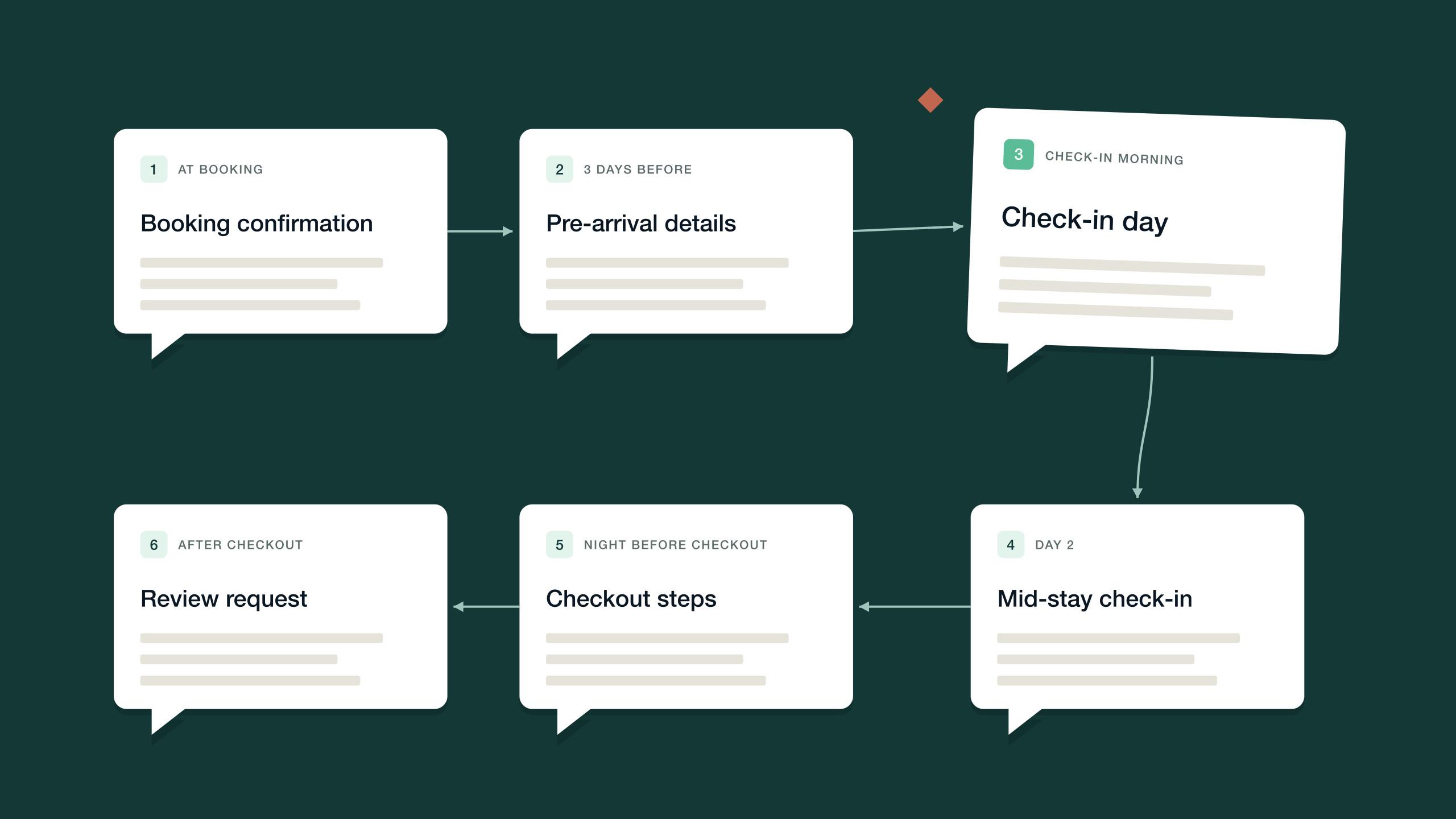

See it on your own listing. Free, from one link.
Paste an Airbnb listing and we'll show you what it could look like — a rewritten title, description, photos and a task list from your reviews.
- Syncs with every channel
- Cancel anytime
- AI agents with Pro