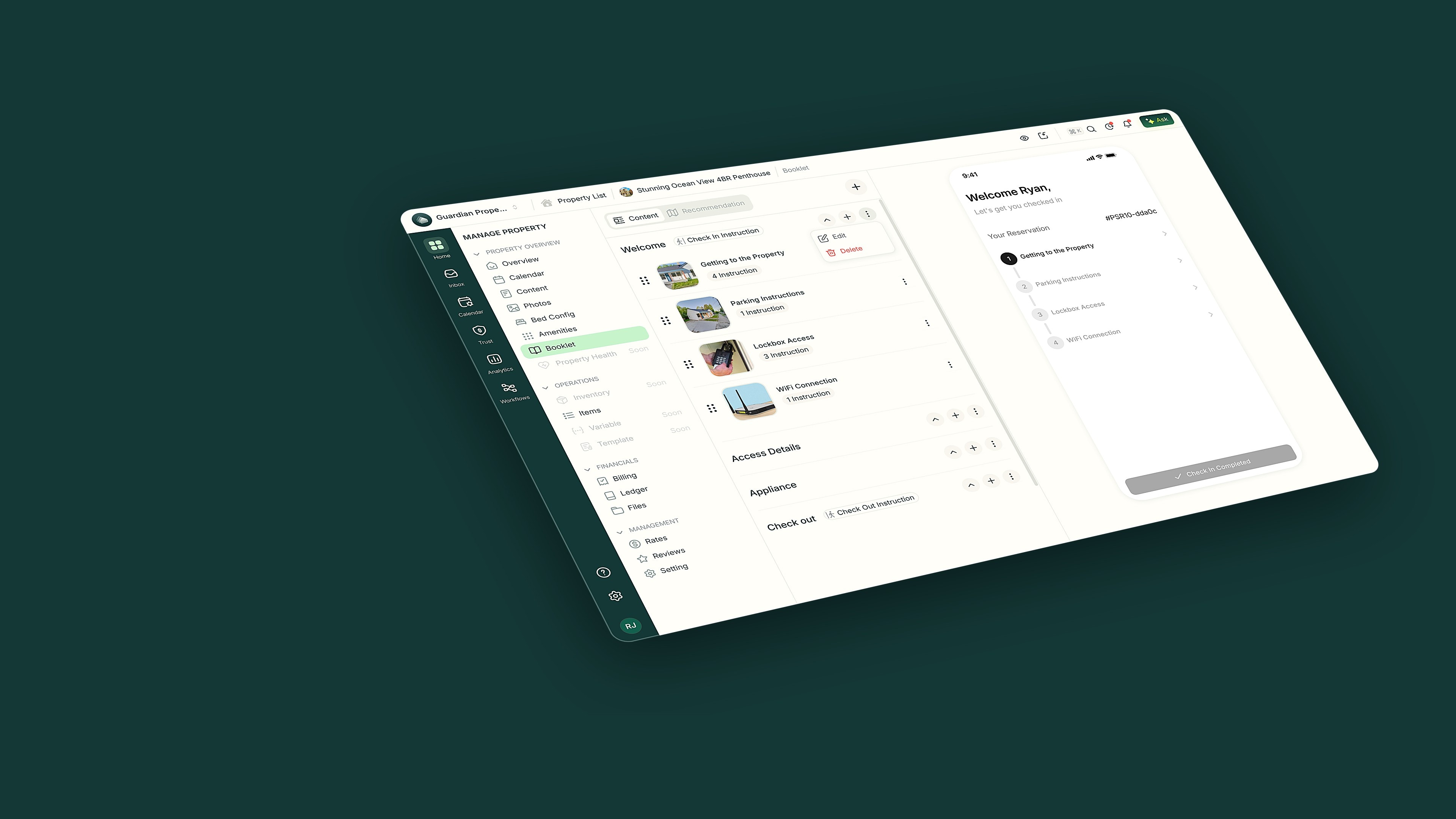
Features · Experience & platform
Digital guidebooks guests love
Every stay gets its own guidebook — check-in steps, house how-tos and local tips guests open on their phone.
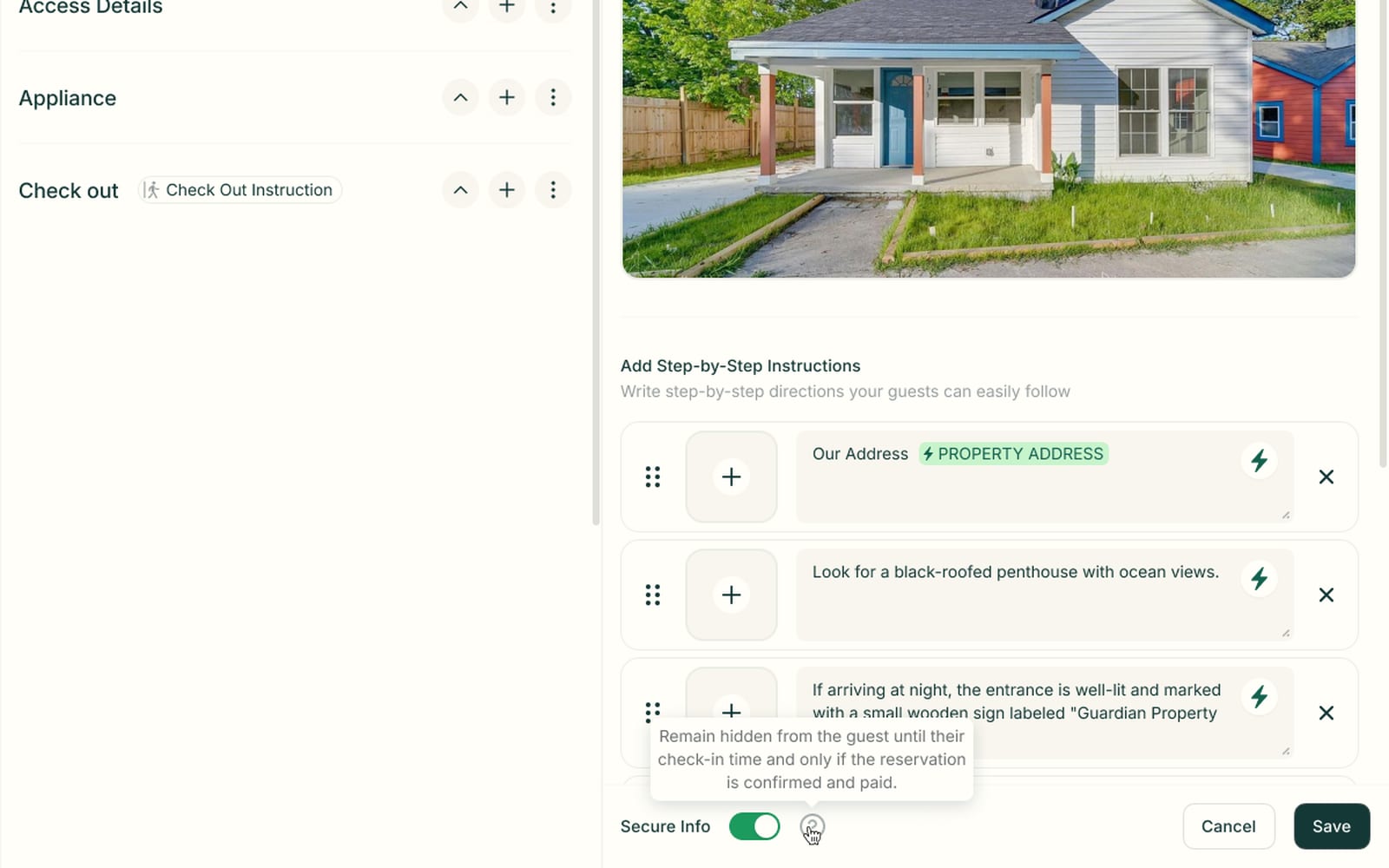
Write it once, step by step
You write each guidebook section as short steps, with a photo and plain text on every step. Guests follow the steps on their own instead of messaging you.
- A photo and plain instruction on every step
- Variable chips drop in details like the property address
- Secure info stays hidden until check-in on a confirmed, paid booking
What Guidebooks do in a day
Léa arrives Friday

Sends her guidebook link with the check-in messages

Léa · guidebook
Sent Thu 6pm
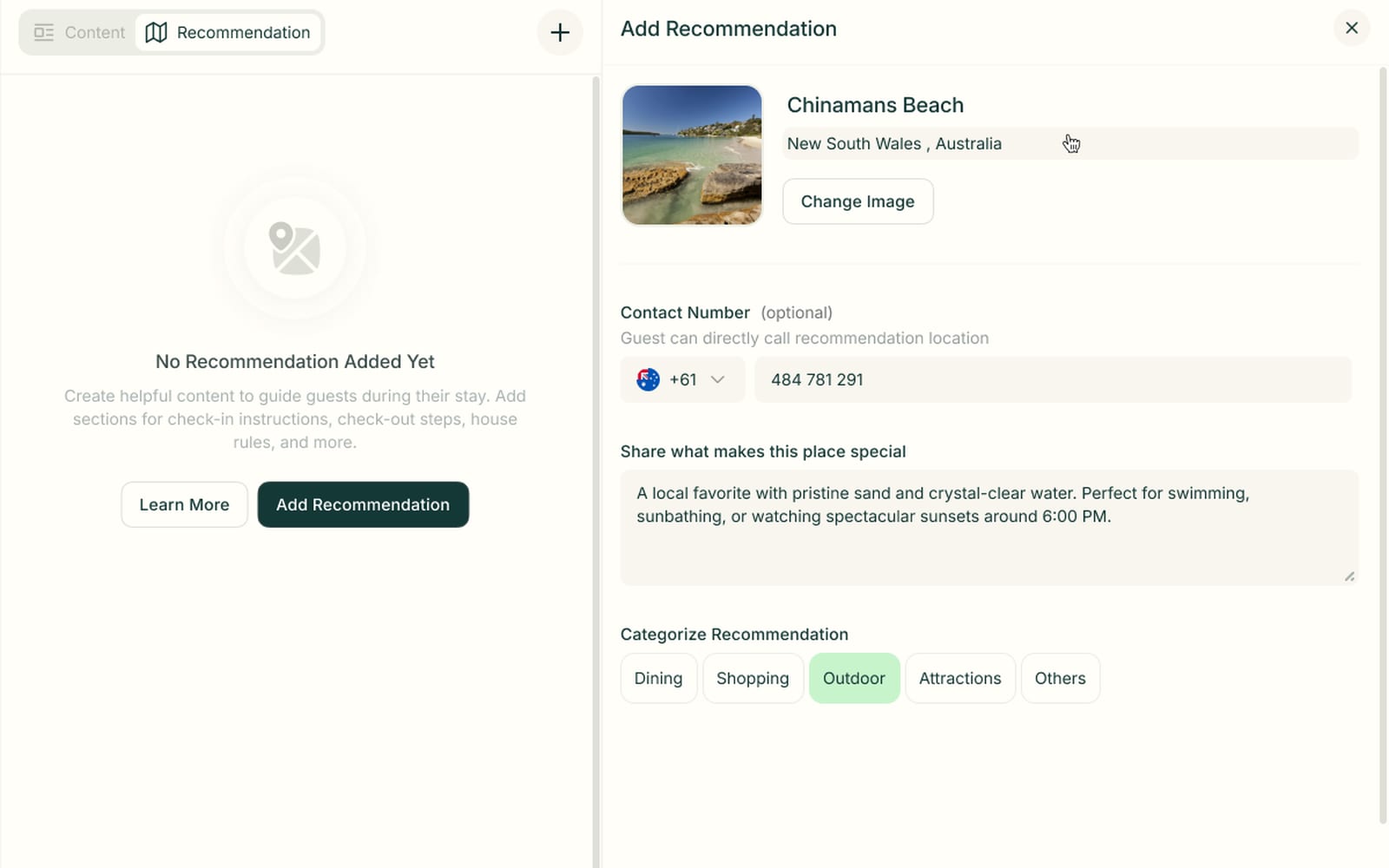
Add your own local picks
You add each place with a photo, a short note and a category like dining or outdoor. Guests get your real recommendations instead of searching review sites.
- A photo and short note for every place
- Categories for dining, shopping, outdoor and attractions
- An optional phone number guests can call
Guidebooks questions
Everything operators ask about Guidebooks before switching.
Arrival directions, parking, lockbox and Wi-Fi details, appliance how-tos, checkout steps and local recommendations. Each one is a set of step-by-step instructions with photos, so guests follow along on their own.
You decide. Toggle secure info on an instruction and it stays hidden from the guest until their check-in time — and only if the reservation is confirmed and paid.
Yes. Extras like early check-in, late checkout and add-ons are offered right in the guidebook — alongside the AI phone line, workflows and your direct-booking site.
Every stay gets its own guidebook link. Send it yourself, or let a check-in workflow send it automatically with the rest of your arrival messages.
Still have questions?
Ask PropertyStackAnswers ready, before they ask.
Paste an Airbnb listing and we'll show you what it could look like — a rewritten title, description, photos and a task list from your reviews.
- Syncs with every channel
- Cancel anytime
- AI agents with Pro