Features · Run the day-to-day
Nothing falls through
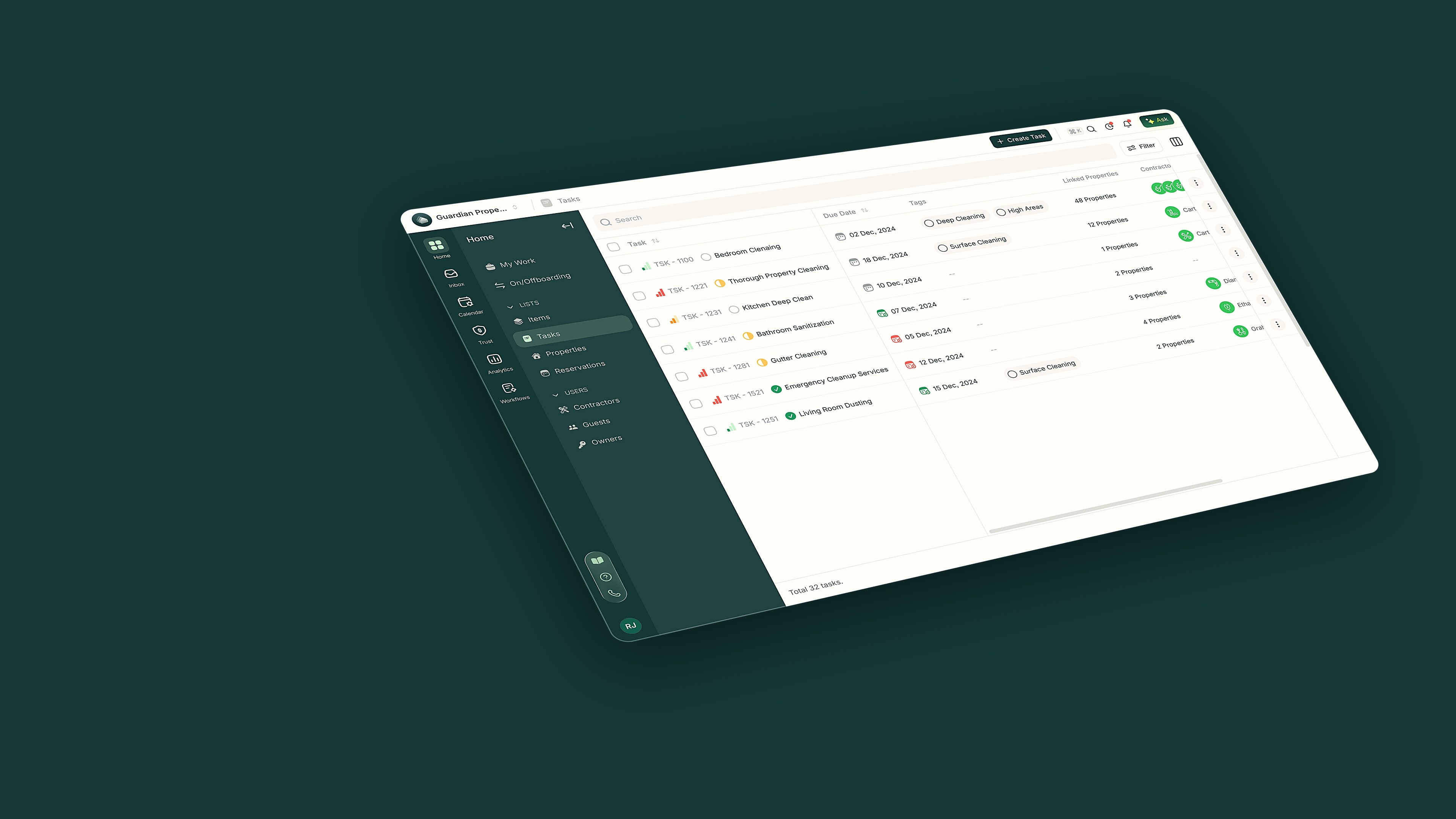
PropertyStack keeps every job on one task list, each with a status, a due date and an assignee the whole team can see.
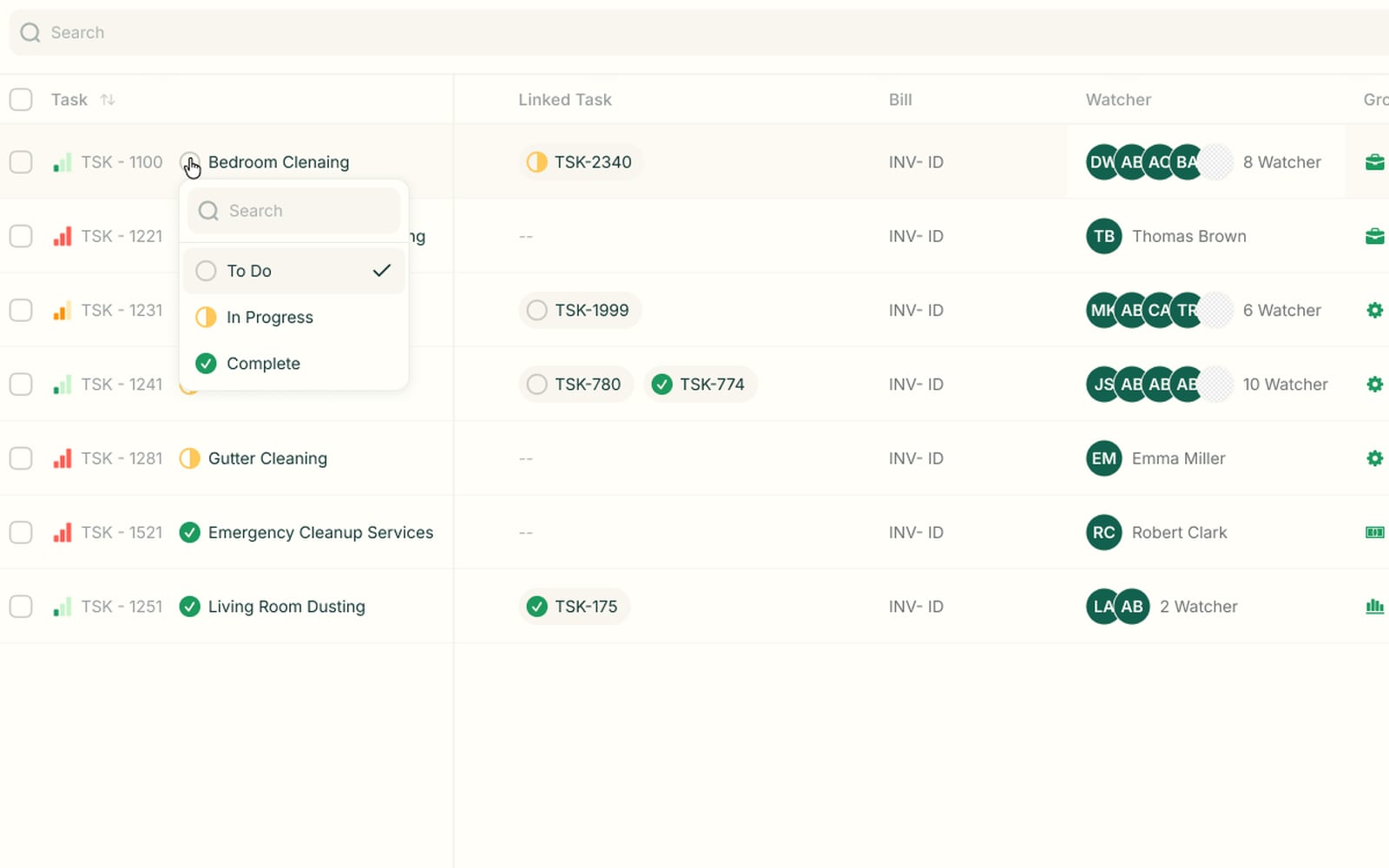
Change status without opening the task
Click the status icon on any row and move the job to To Do, In Progress or Complete. You see where every job stands without opening a single task.
- One-click status: To Do, In Progress, Complete
- Linked tasks with their own live status
- Watchers listed on every row
What Task Management does in a day
Checkout Sunday 10am — next guests at 3pm

Creates the turnover task with a due time and an assignee

Turnover clean
Due Sun 12pm · Andys Cleaning
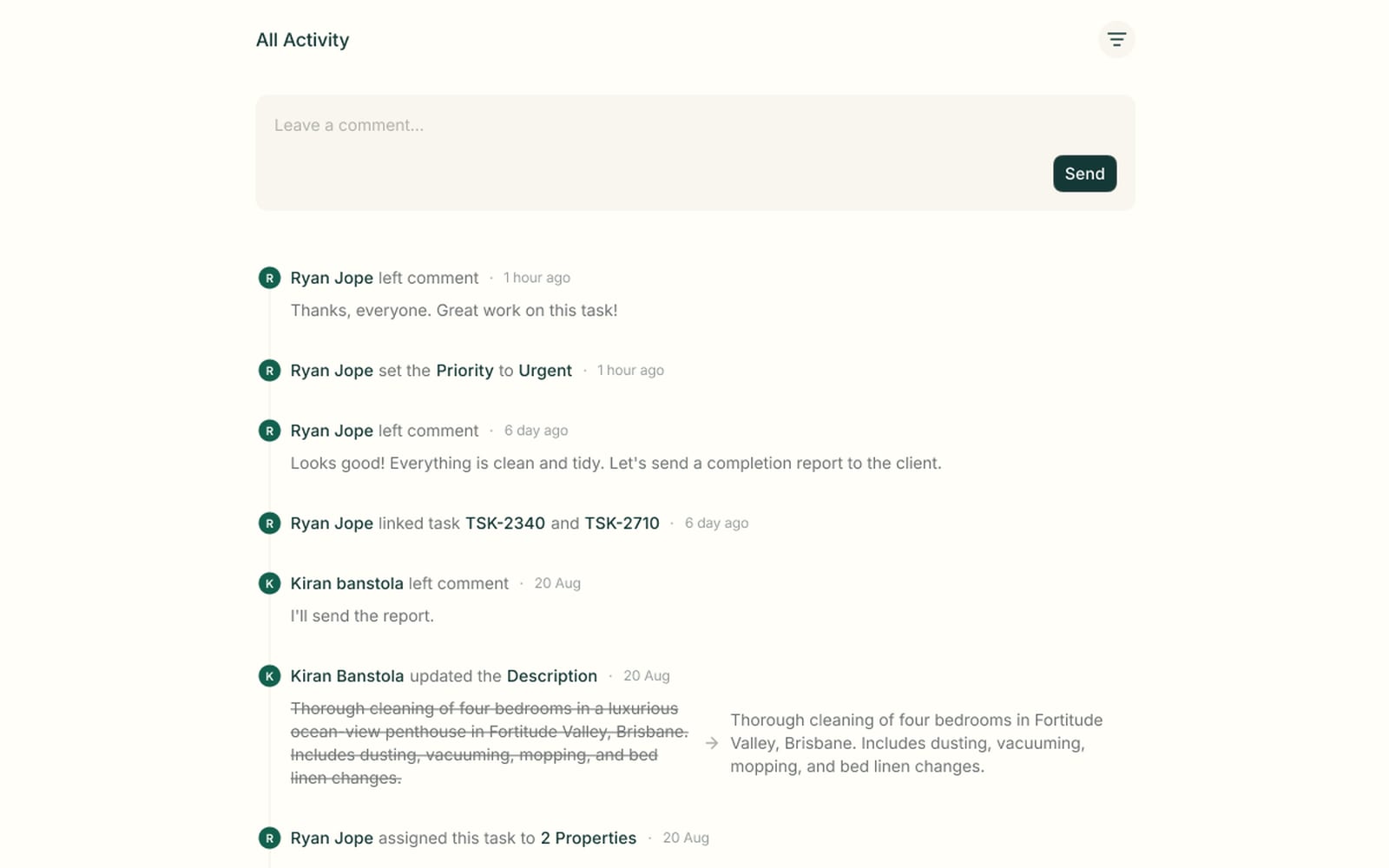
Comments live on the task
Your team comments right on the task, next to every status and priority change. The whole conversation stays with the job instead of getting lost in a group chat.
- A comment box on every task
- Priority changes logged the moment they happen
- Description edits shown as before-and-after
Task Management questions
Everything operators ask about Task Management before switching.
Create them yourself with the Create Task button, or let PropertyStack generate them from bookings, messages and maintenance. Recurring tasks re-create repeat work, like weekly cleans, on a schedule you set.
Yes. Assign a task to a contractor and they work it from their own portal. You're notified the moment they accept or decline, so you know if a job is covered.
Yes. Invite your team, assign work and collaborate from one shared task board. Task management is built in, not bolted on, so tasks share the same data as your bookings and messages.
Yes. Every task keeps an activity feed. It records comments, status and priority changes, description edits and assignments, each with a timestamp, so you can trace exactly how a job was worked.
Still have questions?
Ask PropertyStackEvery job, tracked to done.
Paste an Airbnb listing and we'll show you what it could look like — a rewritten title, description, photos and a task list from your reviews.
- Syncs with every channel
- Cancel anytime
- AI agents with Pro