Features · Money & growth
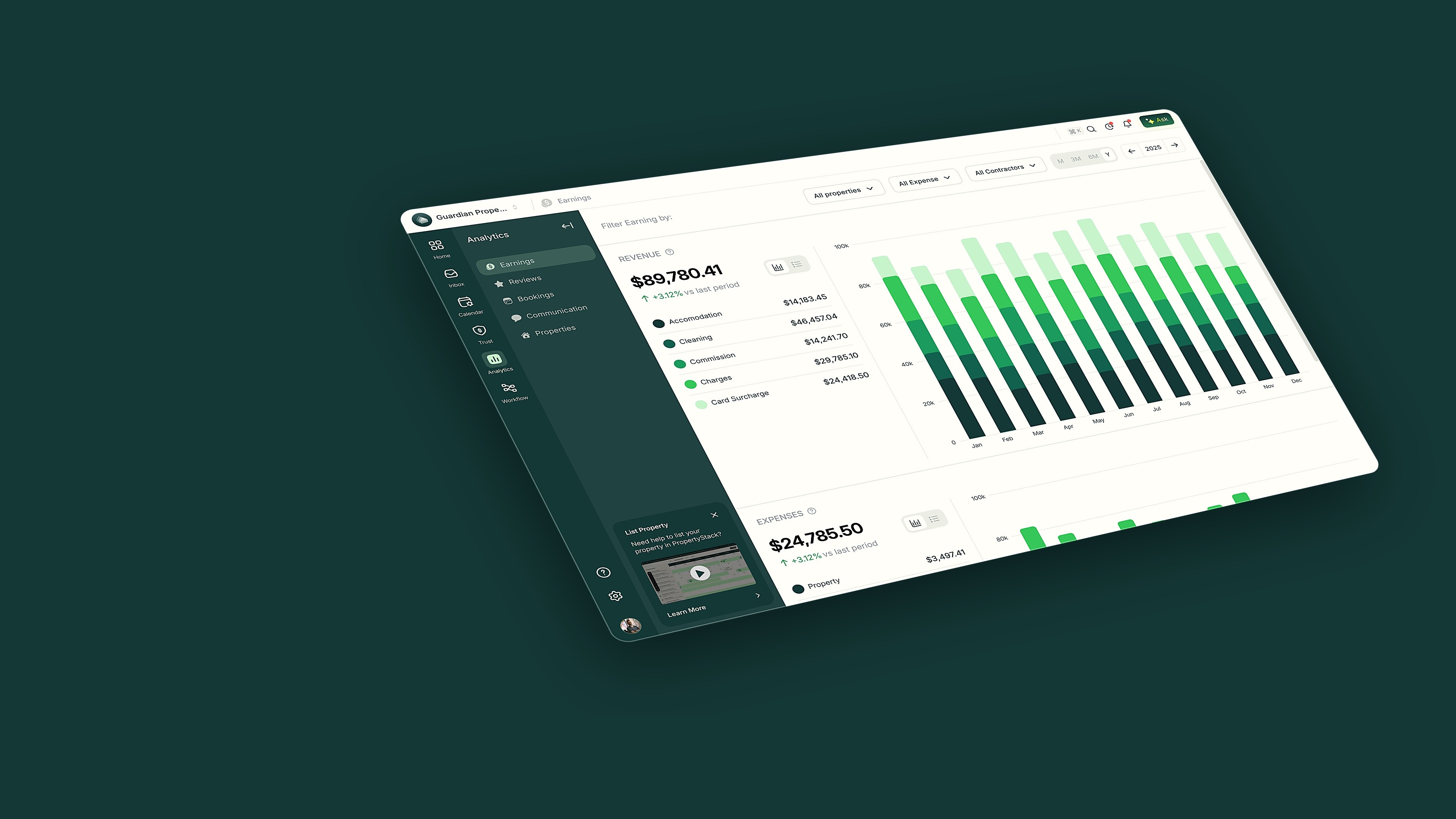
See how every property is performing
Revenue, occupancy, ADR, RevPAR, reviews and guest communication as live trends — per channel, for one property or your whole portfolio.
Occupancy, ADR and RevPAR at a glance
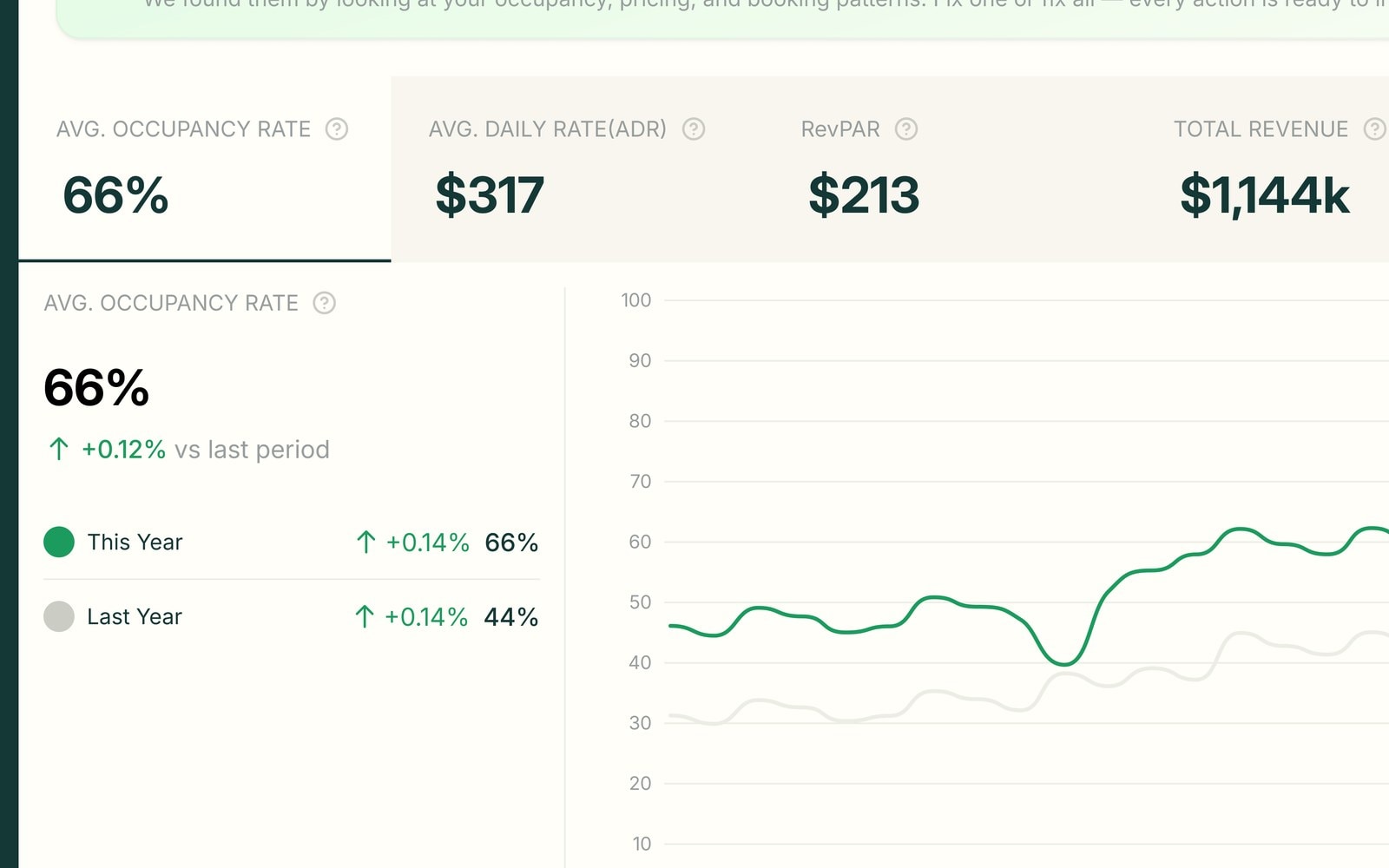
The Bookings view leads with occupancy, average daily rate, RevPAR and total revenue as cards, each showing the change against last period. Below, occupancy is charted against the same window last year.
- Occupancy, ADR, RevPAR and revenue as cards
- This year charted against last year
- Booking window, pace and average nights
What Analytics does in a day

Portfolio
Occupancy · ADR · RevPAR · booking window and pace
Revenue, broken down and trended
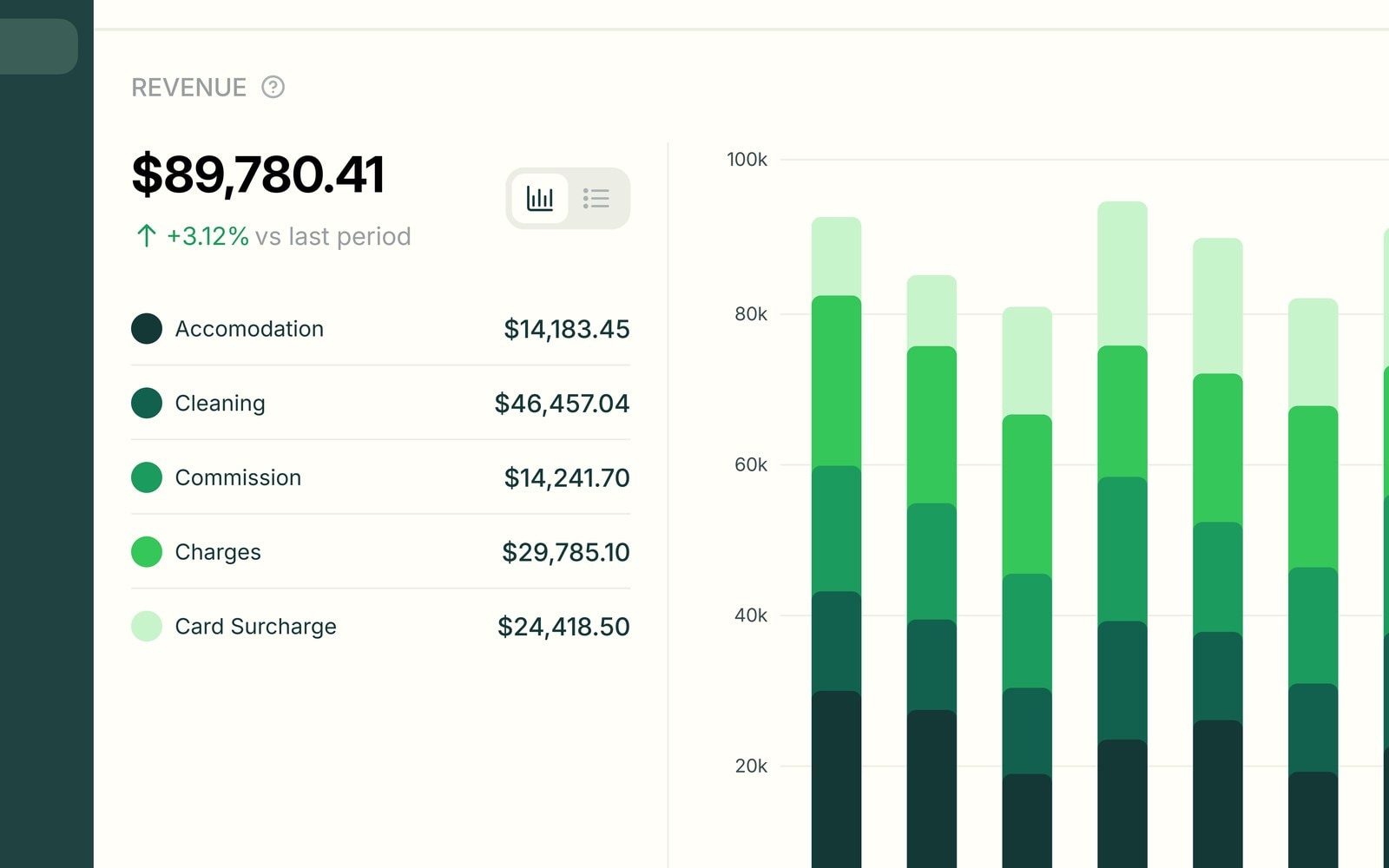
The Earnings view splits revenue into accommodation, cleaning, commission, charges and card surcharge, and stacks it month by month. Expenses sit right beneath, so net performance is clear at a glance.
- Revenue split by type, month by month
- Expenses beside income on the same view
- Filter by property, expense or contractor
Analytics questions
Everything operators ask about Analytics before switching.
Analytics has tabs for earnings, bookings, reviews, communication and properties. Each is a live trend with per-channel breakdowns and period-on-period comparison, tracking occupancy, revenue, ADR, RevPAR and team performance.
Both. Pick one property from the dropdown or keep it on all properties. Every view is tracked per property, so you can compare any listing against the rest of the portfolio.
Yes. Every tab filters by property and time range — this month, three or six months, or the year — and reviews and bookings filter by channel like Airbnb or Booking.com. The trends update with your filter.
Yes. Owners see statements on demand, transparent payouts and performance in the owner portal, plus an AI that answers their questions. You never have to export or email a report.
Still have questions?
Ask PropertyStackKnow your numbers, the moment they move.
Paste an Airbnb listing and we'll show you what it could look like — a rewritten title, description, photos and a task list from your reviews.
- Syncs with every channel
- Cancel anytime
- AI agents with Pro